Is It Legal to Use a GBA Emulator on iPhone? A Complete Legal Guide for 2024
The Short Answer: Yes, Using a GBA Emulator on iPhone Is Legal
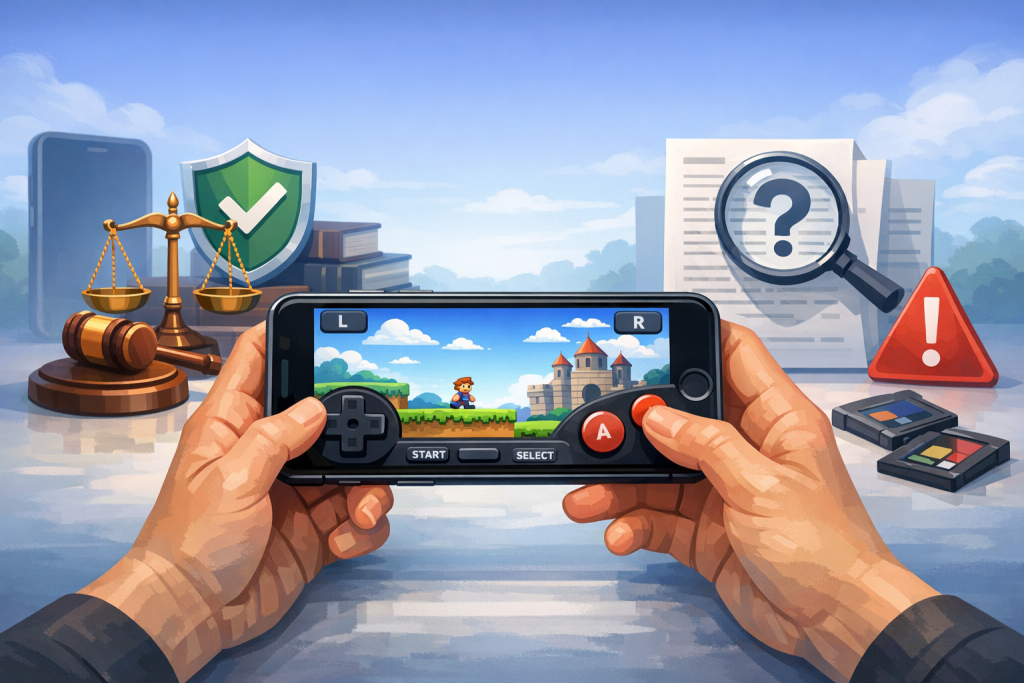
In the United States, the United Kingdom, the European Union, and most other jurisdictions, downloading and using a Game Boy Advance (GBA) emulator on an iPhone is legal. Emulator software itself does not contain Nintendo’s copyrighted code, and U.S. courts have repeatedly ruled emulators lawful. What is frequently illegal is downloading copyrighted ROMs or BIOS files you do not own.
The legal distinction between the emulator (the program that mimics GBA hardware) and the game ROM (the copyrighted software the emulator runs) is the single most important concept in understanding emulation law. Apple’s April 2024 policy change allowed retro game console emulators into the App Store globally, which has made GBA emulation on iPhone mainstream rather than a jailbreak-only hobby. However, “legal to install” and “legal to use with any game you find online” are two very different statements.
This guide walks through the case law, Apple’s current App Store rules, the role of BIOS files, region-specific differences, and the practical steps users can take to remain on the right side of the law while enjoying classic Game Boy Advance titles on iOS.
Why Emulators Themselves Are Legal: The Bleem and Connectix Cases
Emulators are legal because they are independently written software that imitates hardware behavior without copying proprietary code. Two landmark U.S. Ninth Circuit rulings—Sony Computer Entertainment v. Connectix (2000) and Sony Computer Entertainment v. Bleem (2000)—established that reverse engineering a game console to produce an emulator is fair use under U.S. copyright law.
In Connectix, Sony sued the maker of Virtual Game Station, a PlayStation emulator for Mac. Sony lost. The court found that intermediate copying of Sony’s BIOS during reverse engineering was protected because the final product contained no Sony code. Bleem, a competing PlayStation emulator, won a similar ruling. These precedents underpin the entire modern emulation scene, including GBA emulators such as mGBA, VBA-M, Delta, Provenance, and RetroArch.
What These Cases Did Not Decide
The Bleem and Connectix cases did not give a blanket pass to ROM distribution, BIOS sharing, or circumventing digital rights management (DRM). They protected only the act of creating and using a clean-room emulator. The legality of the games you load into that emulator is governed by a separate set of copyright rules.
Reading on a phone? Why not playing on it?
EMUverse turns your iPhone into a powerful GBA console with HD video, save states, and custom skins.
Install Now — Free
Apple’s 2024 Policy Change: Emulators Now Allowed in the App Store
On April 5, 2024, Apple updated section 4.7 of the App Store Review Guidelines to permit “retro game console emulator apps” worldwide. Before this date, emulators were only available on iPhones via jailbreaking, sideloading through AltStore, or web-based emulators like Eclipse. The policy change made Delta, a GBA/DS/N64/SNES/GB emulator by developer Riley Testut, the first major emulator on the App Store, launching April 17, 2024.
Apple’s guideline reads, in part: “Retro game console emulator apps can offer to download games. You are responsible for all such software offered in your app, including ensuring that such software complies with these Guidelines and all applicable laws.” In practice, App Store emulators do not bundle ROMs. Users must import their own files via the Files app, iCloud Drive, or a URL.
Notable GBA-Compatible Emulators Now on the iOS App Store
- Delta — free, supports GBA, GBC, GB, NES, SNES, N64, and DS. Developed by Riley Testut.
- RetroArch — free, multi-system emulation frontend using libretro cores including mGBA and VBA-Next.
- Provenance — long-running open-source emulator; reached the App Store via the EU’s alternative marketplace AltStore PAL before broader availability.
- Gamma — focused on PlayStation 1 but reflects the broader liberalization of the policy.
The ROM Problem: Where Most Legal Trouble Starts
A ROM is a digital copy of a cartridge’s contents. Distributing or downloading a copyrighted ROM you do not own is copyright infringement under 17 U.S.C. § 106 in the United States and equivalent statutes elsewhere. Nintendo holds active copyrights on virtually every first-party GBA title, including the Pokémon, Mario, Zelda, Metroid, Fire Emblem, and Advance Wars series, with copyrights lasting 95 years from publication for corporate works in the U.S.
This means that even though the original Game Boy Advance launched in 2001 and was discontinued in 2010, every commercial GBA game remains under copyright and will be until at least the 2090s. Sites like EmuParadise (which removed Nintendo ROMs in 2018 after legal threats), LoveROMs, and LoveRETRO have all faced enforcement action. In 2018, Nintendo won a $12.23 million default judgment against the operator of LoveROMs and LoveRETRO.
The “I Own the Cartridge” Myth
A widely repeated belief is that downloading a ROM is legal if you own the physical cartridge. This is not supported by U.S. copyright law. Owning a cartridge gives you a license to use that copy; it does not authorize you to obtain a separate digital copy from a third party. The Entertainment Software Association has stated this explicitly. The only clearly legal way to obtain a ROM of a game you own is to dump it yourself using a device such as a GB Operator, Retrode, or GBxCart RW.
The 24-Hour Rule Myth
Another persistent claim is that downloading a ROM is legal if you delete it within 24 hours. There is no such provision in any copyright statute. This myth appears to have originated from misreadings of fair use doctrine and from forum lore in the late 1990s.
Personal Backups and Cartridge Dumping
Creating a personal backup of software you own is a gray area in the United States. Section 117 of the Copyright Act allows backup copies of computer programs, but courts have generally not extended this protection to video game console software, which is often classified differently. That said, no individual has ever been prosecuted for dumping a single cartridge they own for personal use on an emulator, and Section 1201 of the DMCA’s anti-circumvention rules have a triennial exemption process that has, at times, allowed limited preservation activity.
For practical purposes, the safest legal path looks like this:
- Purchase original GBA cartridges.
- Use a hardware dumper (e.g., GB Operator, ~$60) to extract the ROM to your computer.
- Transfer the .gba file to your iPhone via iCloud Drive, Files, or AirDrop.
- Import it into Delta or another emulator.
The BIOS File Question
The Game Boy Advance BIOS is a small piece of firmware (gba_bios.bin, 16 KB) created and copyrighted by Nintendo. Distributing or downloading this file is copyright infringement, even though it is functionally tiny. The good news for GBA users is that most modern GBA emulators—including mGBA, VBA-M, and the cores Delta and RetroArch use—include a high-quality open-source BIOS replacement (HLE BIOS). Many GBA games run with no perceptible difference on the HLE BIOS.
By contrast, emulators for the original Game Boy, DS, and PS1 often require the genuine BIOS to function correctly, which creates a sharper legal question for those systems. For GBA specifically, the legal-risk profile is lower because the optional nature of the BIOS makes pure emulator-only use viable.
Regional Differences: How the Law Varies by Country
Copyright is territorial, and the legality of ROM use can change depending on where you are located.
| Region | Emulator Use | Downloading Copyrighted ROMs | Personal Cartridge Dumping |
|---|---|---|---|
| United States | Legal | Illegal (copyright infringement) | Legal gray area, not enforced against individuals |
| European Union | Legal | Illegal under InfoSoc Directive | Generally permitted for private copying in some member states (e.g., Germany, France) with levies |
| United Kingdom | Legal | Illegal under CDPA 1988 | No private copying exception (Hargreaves reforms struck down in 2015) |
| Japan | Legal | Illegal; 2021 amendments criminalize downloading any pirated content | Legal for personal use under Article 30 |
| Australia | Legal | Illegal under Copyright Act 1968 | Format-shifting provisions are limited and don’t clearly cover games |
| Canada | Legal | Illegal; though personal use enforcement is rare | Allowed under “format shifting” if no DRM circumvention required |
Step-by-Step: Installing a GBA Emulator on iPhone Legally
You can install a GBA emulator on iPhone legally in under five minutes using the App Store, then load your own legally obtained ROMs. The process below assumes iOS 17 or later and uses Delta as the example because it is free, well-maintained, and the most popular GBA emulator on iOS.
Installing Delta
- Open the App Store on your iPhone.
- Search for “Delta – Game Emulator.”
- Tap “Get” and authenticate with Face ID, Touch ID, or your Apple ID password.
- Launch the app and accept the introductory prompts.
Loading Your Own GBA ROMs
- Dump a cartridge you own to a .gba file using compatible hardware.
- Save the file to iCloud Drive, Dropbox, or Google Drive.
- In the Files app on iPhone, locate the .gba file.
- Long-press the file and select “Share” → “Delta.”
- Delta will import the game, recognize it, and add cover art automatically.
Optional: Connecting a Controller
iOS supports MFi controllers, PlayStation DualSense, Xbox Wireless Controllers (Bluetooth versions from 2020+), and Nintendo Switch Pro Controllers natively. Pair via Settings → Bluetooth, then configure button mapping inside Delta’s settings.
Sideloading and AltStore: The Pre-2024 Path Still Works
Before Apple’s policy change, users in the EU could—and still can—install emulators via AltStore PAL, an alternative app marketplace permitted under the Digital Markets Act (DMA). AltStore originally distributed Delta as a sideloaded app using a developer certificate, refreshed every seven days. Outside the EU, AltStore Classic remains a legitimate sideloading tool, though it requires a computer running AltServer and a free Apple Developer account.
Sideloading itself is legal in every jurisdiction that allows users to install software on their own devices. Apple’s terms of service govern the developer relationship, not user behavior, and the U.S. Library of Congress has repeatedly granted DMCA exemptions for jailbreaking smartphones (most recently renewed in 2021).
Trademark and Likeness Issues Beyond Copyright
Even outside of copyright, Nintendo holds extensive trademarks on character names (Mario, Pikachu, Link, Samus), logos, and the “Game Boy Advance” name itself. Emulator authors typically avoid trademark issues by:
- Using generic descriptive language (“retro game console emulator”).
- Avoiding bundled Nintendo artwork.
- Not using “GBA” or “Game Boy” in app names on the App Store.
This is why Delta is called Delta and not “iGBA” or “GameBoy Emu.” (An app called “iGBA” briefly hit the top of the App Store in April 2024 before Apple removed it for copying Riley Testut’s GBA4iOS code—a copyright violation against another developer rather than against Nintendo.)
What Nintendo Has and Has Not Done Against Emulator Users
Nintendo has historically targeted ROM distributors, not individual end users. Public enforcement actions include:
- 2018: Lawsuits against LoveROMs and LoveRETRO, resulting in a $12.23M settlement.
- 2019: Lawsuit against RomUniverse, resulting in a $2.1M judgment in 2021.
- 2024: Lawsuit against the Yuzu (Switch emulator) developers, settled for $2.4M—notably this targeted the emulator due to its alleged role in pre-release piracy and circumvention of Switch encryption, not GBA-style clean-room emulation.
- 2024: Takedown of Ryujinx, another Switch emulator.
No public record exists of Nintendo suing an individual for downloading a ROM for personal use, though that does not make it legal—it simply reflects practical enforcement priorities.
Cloud Gaming and Nintendo Switch Online: The Legitimate Alternative
Nintendo Switch Online + Expansion Pack added a Game Boy Advance library on February 8, 2023. As of 2024 it includes roughly 25 GBA titles such as The Legend of Zelda: The Minish Cap, Metroid Fusion, Mario Kart: Super Circuit, Kuru Kuru Kururin, and WarioWare, Inc.. These are playable only on Nintendo Switch hardware, not iPhone. Until Nintendo releases an official iOS app for retro content (which it has not announced), there is no fully sanctioned way to play GBA games on iPhone with first-party Nintendo blessing.
Common Mistakes That Turn Legal Use into Illegal Use
- Downloading “complete ROM sets” from torrent sites or archives—this is straightforward infringement.
- Sharing your dumped ROMs with friends or uploading them to cloud storage that others can access.
- Using the official Nintendo BIOS when your emulator works fine on HLE BIOS.
- Distributing your own emulator builds that include ROMs or BIOS files.
- Streaming gameplay of pirated ROMs on platforms like Twitch or YouTube, which compounds infringement with public performance issues.
Are GBA ROM Hacks and Homebrew Legal?
Homebrew games—original software written for the GBA by independent developers and released under permissive licenses—are fully legal to download and play. Examples include Anguna, Goodboy Galaxy‘s GBA demo, and many entries from Pouet.net’s GBA demoscene archive.
ROM hacks are a more complex case. A patch file (.ips or .ups) that contains only the modifications and not the original game is generally distributed legally, but applying it requires a copy of the base ROM, which puts the user back into the same copyright analysis. Famous ROM hacks like Pokémon Emerald Kaizo and Pokémon Radical Red circulate as patches for this reason.
Frequently Asked Questions
Is it legal to download a GBA emulator on my iPhone in 2024?
Yes. Following Apple’s April 2024 policy change, GBA-compatible emulators such as Delta and RetroArch are available directly from the App Store in every country where the App Store operates. Emulators themselves contain no copyrighted Nintendo code and have been ruled legal in U.S. courts under fair use, notably in Sony v. Connectix (2000). You can install one with no legal risk whatsoever; the legal questions arise only when you start loading games.
Can I legally download Pokémon Emerald or other GBA ROMs from the internet?
No. Every commercial GBA game, including all Pokémon titles, remains under Nintendo’s copyright until at least the 2090s. Downloading these ROMs from any site—even sites that frame themselves as “preservation archives”—is copyright infringement in the United States, the EU, the UK, Japan, Australia, and most other countries. The fact that the game is out of print or unavailable for purchase does not affect its copyright status.
Is dumping my own GBA cartridge legal?
In most jurisdictions, dumping a cartridge you legally own for personal backup or format-shifting use is either explicitly legal or a tolerated gray area. Japan permits this under Article 30 of its Copyright Act, and Germany and France allow it as private copying. In the U.S., Section 117’s backup provision is ambiguous for games, but no individual has been prosecuted for personal cartridge dumping. The UK is the strictest, with no private copying exception since 2015.
Do I need a real Game Boy Advance BIOS file to use Delta or other iOS emulators?
No. Modern GBA emulators including Delta, mGBA, and VBA-M ship with a high-level emulation (HLE) BIOS replacement that runs almost all commercial games correctly. Using the official Nintendo BIOS provides marginally better compatibility in edge cases but is itself copyrighted, so downloading it introduces legal risk for negligible benefit. Delta works out of the box without any BIOS file required from the user.
Will Nintendo sue me for using a GBA emulator on my iPhone?
Extremely unlikely. Nintendo’s enforcement actions over the past decade have targeted ROM distribution sites, emulator developers who circumvent encryption (such as Yuzu), and large-scale commercial piracy operations—not end users running emulators on their phones. That said, “unlikely to be sued” is not the same as “legal.” Downloading copyrighted ROMs remains a civil infringement and, at very large scale, a criminal one under the NET Act.
What is the difference between Delta and GBA4iOS?
GBA4iOS was the predecessor emulator developed by Riley Testut starting in 2014 and distributed via Safari using an enterprise certificate trick that Apple eventually closed. Delta is its successor, rewritten to support multiple consoles (GBA, GBC, GB, NES, SNES, N64, DS) and now distributed officially through the App Store and AltStore PAL. Delta is actively maintained; GBA4iOS has been deprecated since 2015.
Can I play GBA games online or use multiplayer link cable features on iPhone?
Delta supports local wireless multiplayer between two iPhones for link-cable GBA games via its “Delta Sync” and AirPlay-like features in development. Online multiplayer for GBA games is not natively supported on iPhone emulators but can be achieved on desktop emulators such as mGBA combined with the BizHawk netplay layer. The legality of multiplayer emulation matches the legality of the underlying ROMs being used.
Is using save states or cheat codes in an iPhone GBA emulator legal?
Yes. Save states are user-created files generated by the emulator from your active session and contain no copyrighted material in a redistributable form. Cheat codes are short numeric sequences that have been ruled non-copyrightable—the landmark Lewis Galoob Toys v. Nintendo (1992) case held that the Game Genie did not create an infringing derivative work. You can use both freely within any iOS emulator.
Ready to start playing?
Download EMUverse on the App Store and bring your retro library back to life.
Download EMUverse