GBA Emulator on iPhone: Safari Sideload vs App Store Download — What’s Actually Safe?
The Short Answer: Which GBA Emulator Method Is Safer on iPhone?
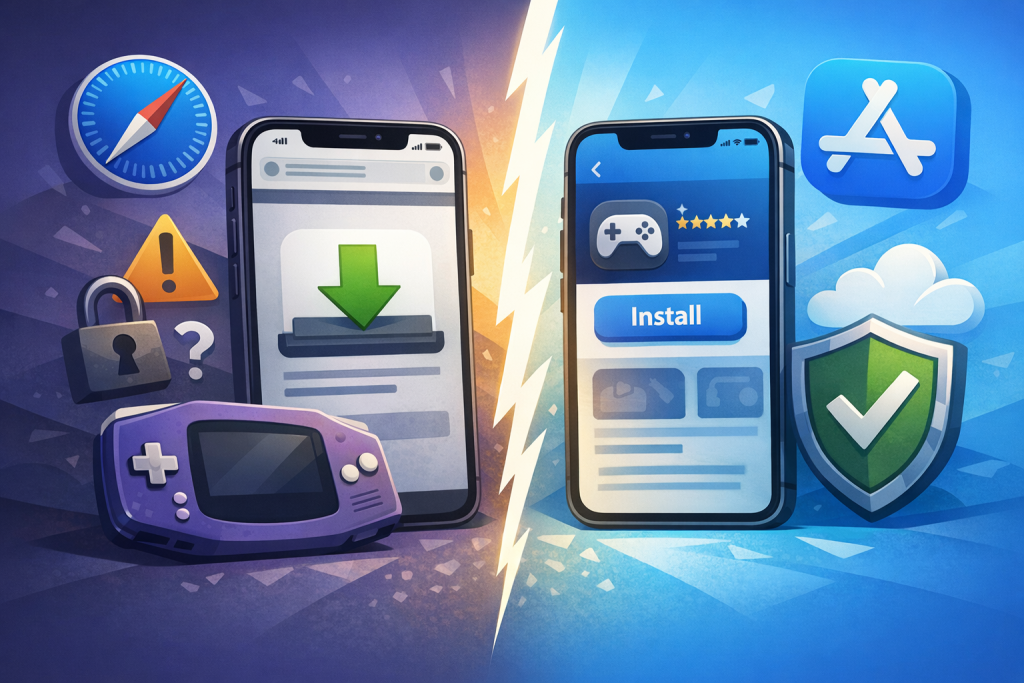
Downloading a GBA emulator from Apple’s App Store (such as Delta, available globally since April 2024) is significantly safer than installing one through Safari via an enterprise certificate, third-party signing service, or configuration profile. App Store apps are notarized, code-signed by Apple, sandboxed, and reviewed; Safari-based installs rely on revocable certificates and frequently require trusting an unknown developer profile in Settings, which expands your attack surface.
That said, “Safari download” is a broad category. It can mean installing a Progressive Web App (PWA) version of an emulator, sideloading an IPA through AltStore, using a paid signing service like ESign or Scarlet, or trusting an enterprise distribution certificate. Each path has different risk profiles, and a few — particularly PWAs and AltStore PAL in the EU — are nearly as safe as the App Store route.
How GBA Emulators Reached the iOS App Store
For more than a decade, emulators were banned from the App Store under Guideline 2.5.2, which prohibited apps that executed code not embedded in the binary. Apple reversed this policy on April 5, 2024, allowing “retro game console emulators” worldwide. Delta launched the same week and topped the free charts; Provenance, RetroArch, PPSSPP, and others followed.
This shift fundamentally changed the safety calculation. Before April 2024, any GBA emulator on a non-jailbroken iPhone required Safari-based installation through one of several workarounds. After April 2024, sideloading became an optional preference rather than a necessity.
The Pre-2024 Landscape
GBA4iOS, released in 2014 by then-teenager Riley Testut, was distributed through Safari using Apple’s enterprise developer program — a loophole Apple closed repeatedly by revoking certificates. Users woke up to dead apps every few weeks. Successors like Happy Chick, GBA.emu, Provenance, and iGBA (briefly on the App Store in April 2024 before being pulled for plagiarism) followed similar patterns.
The Current Landscape (2024–2025)
Today, iPhone users can install:
- Delta — free, ad-free, by Riley Testut, on the App Store globally.
- RetroArch — multi-system, free, on the App Store since 2024.
- Provenance — App Store (2025) and AltStore.
- PPSSPP, Gamma, Bimmy, MasterEmu — all App Store approved.
- AltStore PAL — Apple-approved alternative marketplace in the EU.
Reading on a phone? Why not playing on it?
EMUverse turns your iPhone into a powerful GBA console with HD video, save states, and custom skins.
Install Now — Free
What “Safari Download” Actually Means for iOS Emulators
“Downloading from Safari” on iOS doesn’t behave like Windows or Android. iOS won’t run an arbitrary .ipa file. Safari-based emulator installs use one of five mechanisms, each with distinct security implications.
1. Enterprise Certificate Distribution
A developer enrolls in Apple’s Enterprise Developer Program (intended for internal corporate apps) and signs the emulator with that certificate. Users tap an install link in Safari, then manually trust the certificate under Settings → General → VPN & Device Management. Apple actively hunts and revokes these certificates, so apps often die within days or weeks. Worse, the certificate holder can theoretically push updates containing malicious code that runs with the same trust you originally granted.
2. Configuration Profiles (.mobileconfig)
Some sites push a configuration profile that adds a web clip, MDM settings, or VPN. Malicious profiles can route traffic through attacker servers, install root certificates that enable HTTPS interception, or restrict device functions. Profiles are among the most dangerous Safari install vectors.
3. AltStore (Free Tier) and AltStore PAL
AltStore re-signs apps every seven days using your personal Apple ID free developer account. It requires installing AltServer on a Mac or PC. The original free version is technically a Safari/desktop hybrid install. AltStore PAL, launched in the EU in April 2024 under the Digital Markets Act, is an Apple-authorized alternative marketplace — apps go through Apple’s notarization, the same malware-screening pipeline used for Mac apps outside the App Store.
4. Third-Party Signing Services
Services such as Scarlet, ESign, AppCake, TrollStore, and BuildStore charge $10–$25/year to sign IPAs with revocable certificates. You install via Safari, trust a profile, and the app works until Apple revokes the certificate. Some services have been linked to certificate sharing across thousands of users, including malware distributors.
5. Progressive Web Apps (PWAs)
Some GBA emulators (e.g., GBA.js, EmulatorJS-based players) run entirely in Safari as a web page or PWA. There’s no installation, no profile, no certificate. These are sandboxed by WebKit and generally safe, though performance is lower and save states live in browser storage that can be wiped.
App Store vs Safari: A Direct Security Comparison
The App Store route layers multiple defenses Safari sideloads cannot match: human review, automated malware scanning, code signing tied to a verified developer identity, sandbox enforcement, and ongoing post-release monitoring. Safari installs depend almost entirely on the goodwill and competence of whoever signed the IPA.
| Factor | App Store | AltStore PAL (EU) | AltStore (Free) | Signing Service | Enterprise Cert | PWA |
|---|---|---|---|---|---|---|
| Apple notarization | Yes | Yes | No | No | No | N/A |
| Human review | Yes | Partial | No | No | No | No |
| Sandbox enforced | Yes | Yes | Yes | Yes | Yes | Yes (WebKit) |
| Certificate revocation risk | None | None | Weekly re-sign | Frequent | Very high | None |
| Requires trusting profile | No | No | No | Yes | Yes | No |
| Auto-updates | Yes | Yes | Manual | Manual | Manual | Server-side |
| Geographic availability | Worldwide | EU only | Worldwide | Worldwide | Worldwide | Worldwide |
| Overall safety | High | High | Medium | Low | Very low | High |
Concrete Risks of Safari-Based Emulator Installs
The dangers aren’t theoretical. Between 2019 and 2023, security researchers and journalists documented multiple cases where enterprise-certificate apps distributed via Safari either contained malware, harvested credentials, or were used as delivery vectors for spyware and gambling-app scams.
Certificate Abuse and Revocation
In 2019, TechCrunch reported that Facebook and Google were caught using enterprise certificates to distribute data-collection apps to consumers; Apple revoked their certificates and briefly bricked internal apps for both companies. Smaller emulator distributors face the same revocation cycle, sometimes weekly. Each revocation prompts users to seek another source — and that’s where bad actors insert trojanized clones.
Malware Embedded in Clones
Apple removed iGBA from the App Store within 24 hours of its April 2024 launch after evidence emerged that it was an unauthorized clone of GBA4iOS containing tracking SDKs and ad fraud code. Safari-distributed forks of popular emulators have historically embedded similar tracking, including silent IDFA harvesting, location pings, and in some cases keylogger-style overlays on banking apps via accessibility tricks (only possible on jailbroken devices, but a real risk when chained with profiles).
Configuration Profile Attacks
A malicious .mobileconfig can install a root CA certificate, enabling HTTPS man-in-the-middle interception of every site you visit — banking, email, iCloud login pages. Apple’s iOS 14.5+ tightened profile install flows (you must go to Settings, find the profile, tap Install twice, and enter your passcode), but social engineering still works.
ROM Site Drive-By Downloads
Most users who install emulators via Safari also visit ROM sites. These sites are notorious for aggressive ad networks, fake “Download” buttons, and tech-support scam pop-ups that simulate iOS system alerts. Even with a legitimate emulator, the surrounding ecosystem is hostile.
Why Delta on the App Store Is the Recommended Default
Delta, developed by Riley Testut (creator of GBA4iOS) and released April 17, 2024, is free, contains no ads, no in-app purchases, and supports GBA, GBC, GB, NES, SNES, N64, and DS. It’s distributed through Apple’s standard review process and updated through the App Store, making it the lowest-risk option for the overwhelming majority of users.
Feature Parity With Sideloaded Versions
The App Store build of Delta is identical to the version previously available through AltStore. It supports save states, cheat codes, controller skins, MFi and Bluetooth controllers (including DualSense and Joy-Cons), fast forward, hold buttons, and Dropbox/Google Drive sync for save files. There is no functional reason to sideload Delta in 2025 unless you live in the EU and prefer AltStore PAL.
Privacy Posture
Delta’s App Store privacy label lists “Data Not Collected.” It has no analytics SDKs, no advertising frameworks, and Testut has publicly committed to keeping it ad-free, funded by Patreon. This is verifiable through Apple’s privacy nutrition labels and independent network traffic analysis.
When Safari Sideloading Might Still Make Sense
There are narrow, legitimate cases where Safari-based installation remains relevant. Understanding them helps you decide whether the added risk is justified.
- EU users wanting AltStore PAL features — Provenance, UTM SE, and certain forks remain AltStore-exclusive.
- Beta testing — Some developers distribute pre-release builds through AltStore or TestFlight (TestFlight is Apple-run and safe).
- Emulators Apple rejects — While GBA emulators are now allowed, more advanced systems (PS2, certain DS forks with online play) sometimes still face rejection.
- Custom forks — Developers who modify open-source emulators for personal use must sideload their own builds.
For these cases, AltStore (free or PAL) is the safest sideloading option. Avoid signing services and enterprise-certificate distributions entirely.
Step-by-Step: Installing Delta Safely from the App Store
The safe install path takes under two minutes and requires no profiles, certificates, or desktop software. This is the recommended method for 99% of users.
- Open the App Store on iPhone or iPad (iOS/iPadOS 14 or later).
- Search “Delta – Game Emulator” — the developer should read “Riley Testut.”
- Tap “Get” and authenticate with Face ID, Touch ID, or your Apple ID password.
- Launch Delta. Tap the “+” icon to import ROM files you legally own.
- ROMs can be imported from Files, Mail attachments, iCloud Drive, or any document-provider app.
- Optional: enable Dropbox or Google Drive sync under Settings → Syncing.
Step-by-Step: Safer Sideloading with AltStore (If You Must)
If you genuinely need to sideload — for example, to install an AltStore-exclusive emulator or fork — follow this path rather than using a random signing service or enterprise certificate.
- Install AltServer on a Mac or Windows PC from altstore.io.
- Connect your iPhone via USB; install iTunes/iCloud (Windows) or trust the device (Mac).
- From AltServer’s menu bar/tray icon, choose “Install AltStore” and select your device.
- Sign in with an Apple ID. Recommended: use a secondary Apple ID, not your primary, to limit exposure if credentials are mishandled.
- On the iPhone, go to Settings → General → VPN & Device Management → trust the developer profile (your own Apple ID).
- Open AltStore on the iPhone. It will re-sign apps every 7 days as long as AltServer and the phone are on the same Wi-Fi.
- EU users: install AltStore PAL instead from altstore.io/altstore-pal — apps are Apple-notarized.
Red Flags: How to Spot an Unsafe Emulator Download
Whether you’re browsing the App Store or a Safari result, these warning signs should make you stop and verify before installing.
- Site asks you to install a configuration profile before downloading the app.
- Developer name doesn’t match the known author (e.g., a “Delta” listing from anyone other than Riley Testut).
- Aggressive countdown timers, fake CAPTCHAs, or “Your iPhone is infected” pop-ups.
- Requires disabling Face ID or entering your Apple ID password on a webpage.
- App size dramatically larger than expected — Delta is ~50 MB; a 500 MB “GBA emulator” likely contains bundled ROMs (legally dubious) or extraneous payloads.
- Requests for Photos, Contacts, or Location permissions — a GBA emulator needs none of these.
- Reviews mention sudden ad pop-ups, redirects, or battery drain.
- Discord/Telegram invites pushed before download — common pattern for scam signing services.
The Legal Dimension: Emulator vs ROM
Emulators themselves are legal in the United States, the EU, the UK, Japan, and most jurisdictions — courts have repeatedly affirmed this (Sony v. Connectix, 2000; Sony v. Bleem, 2000). Apple’s 2024 policy reversal reflects that legal reality. What remains illegal in most places is downloading ROMs of games you don’t own.
Some Safari-distributed emulators bundle ROMs or link to ROM sites directly, which exposes both distributor and user to copyright liability and increases malware risk. App Store emulators (Delta, RetroArch, Provenance) ship without ROMs by Apple’s rule. This is another structural safety advantage of the App Store route.
Legal ROM Sources
- Dumping cartridges you own using a GB Operator (Epilogue) or similar hardware (~$50).
- Nintendo Switch Online’s GBA library (requires Expansion Pack, not extractable but legal).
- Homebrew games released under permissive licenses (itch.io has hundreds).
- Some publishers release abandonware officially — check developer websites.
What About iGBA, GBA4iOS, Happy Chick, and Other Legacy Names?
These older Safari-installed emulators are obsolete and, in several cases, actively unsafe. Their continued promotion on tutorial sites is a signal that the content is outdated or affiliate-driven rather than security-informed.
GBA4iOS
Discontinued by Testut in favor of Delta. Any current “GBA4iOS” download is an unofficial re-sign and should be avoided. The codebase hasn’t received security updates since 2015.
iGBA
Pulled from the App Store within 24 hours of launch in April 2024 for plagiarizing GBA4iOS and including ad/tracking SDKs. Any reupload is, by definition, an unauthorized clone.
Happy Chick / Provenance (old builds) / GBA.emu
Happy Chick has a long history of bundling Chinese ad networks and pushing for invasive profile permissions. Use the current App Store version of Provenance instead. GBA.emu (Robert Broglia) was always Android-only; iOS “ports” are fakes.
Network and Privacy Hygiene for Emulator Users
Even with a safe emulator, your overall posture matters. A few practical steps reduce risk regardless of install method.
- Keep iOS updated — security patches in iOS 17.5+ (May 2024) and iOS 18 closed multiple WebKit and profile-handling vulnerabilities.
- Use a content blocker (1Blocker, AdGuard) in Safari to suppress ROM-site malvertising.
- Enable Lockdown Mode if you sideload heavily — it disables some attack surfaces, though it may break sideloaded apps.
- Periodically audit Settings → General → VPN & Device Management and remove unknown profiles.
- Use a separate Apple ID for AltStore if you sideload.
- Back up save files to iCloud Drive or Dropbox — sideloaded apps can vanish on certificate revocation, taking saves with them.
Performance and Feature Differences
Beyond safety, the App Store and Safari routes increasingly converge on features. The App Store version of Delta runs at full speed on every iPhone from the iPhone XR (2018) onward, supports 120 Hz ProMotion on iPhone 13 Pro and newer, and handles upscaling shaders on A14 chips and later.
Sideloaded forks occasionally add features Apple disallows — netplay over local Wi-Fi, certain BIOS-bundled cores, or experimental shaders. For the vast majority of GBA play (single-player, save states, controller support), the App Store version is functionally complete.
Frequently Asked Questions
Is downloading a GBA emulator through Safari illegal?
No, downloading and using a GBA emulator is legal in the United States, the EU, the UK, and most jurisdictions. What’s illegal in most places is downloading copyrighted ROMs you don’t own. The install method (Safari vs App Store) doesn’t change the legality of the emulator itself, but Safari-distributed builds more frequently bundle or link to pirated ROMs, which does cross legal lines.
Can a GBA emulator from Safari give my iPhone a virus?
Traditional viruses don’t run on non-jailbroken iOS because of the sandbox. However, Safari-installed emulators can include data-harvesting SDKs, ad-fraud code, or configuration profiles that install malicious root certificates enabling HTTPS interception. They can also exfiltrate identifiers like IDFA and harvest contact metadata if you grant permissions. The risk is real, just different from desktop malware.
Why did Apple finally allow GBA emulators in 2024?
Apple updated App Review Guideline 4.7 on April 5, 2024, explicitly permitting “retro game console emulators.” The change is widely attributed to regulatory pressure from the EU’s Digital Markets Act, which forced Apple to allow alternative app marketplaces in the EU; allowing emulators globally let Apple maintain a unified rulebook and capture the segment within its own store rather than ceding it to AltStore PAL.
Is AltStore PAL safer than regular AltStore?
Yes. AltStore PAL, available only in EU member states, distributes apps that have gone through Apple’s notarization process — the same automated malware screening used for Mac apps distributed outside the Mac App Store. Regular AltStore (worldwide) re-signs apps using your free Apple developer account and does not go through notarization, so the safety of any app depends entirely on the source IPA you choose to install.
What happens when an enterprise certificate gets revoked?
The emulator stops launching — tapping it produces an “Untrusted Enterprise Developer” or “Unable to Verify App” error. Your save data remains in the app’s container until you delete the app, but you can’t access it without reinstalling a re-signed copy. Revocations often happen with no warning, which is why backing up saves to cloud storage is critical for sideloaded emulators.
Does Delta collect any personal data?
According to its App Store privacy label and the developer’s public statements, Delta does not collect any data. It contains no analytics frameworks, advertising SDKs, or telemetry. Network traffic analyses by independent reviewers have confirmed the app communicates only with sync services you explicitly enable (Dropbox or Google Drive). It is funded through Riley Testut’s Patreon, not data monetization.
Can I transfer my old GBA4iOS save files to Delta?
Yes. Delta supports importing .sav files (battery saves) and .svs files (save states) directly. Export them from GBA4iOS via the Share sheet to Files or iCloud Drive, then import them into Delta by tapping the game and choosing Import Save File. Save state compatibility between different emulator versions isn’t guaranteed, but battery saves are standard format and transfer cleanly.
Are PWA-based GBA emulators safe to use in Safari?
Generally yes. Web-based emulators like EmulatorJS-powered players run inside Safari’s WebKit sandbox, which Apple hardens aggressively. They can’t install profiles, access system APIs beyond what websites normally can, or persist beyond browser data. The trade-offs are performance (10–20% slower than native), fragile save storage in IndexedDB that can be wiped by clearing site data, and exposure to whatever advertising or tracking the hosting website includes.
Ready to start playing?
Download EMUverse on the App Store and bring your retro library back to life.
Download EMUverse