Save and load your progress at any moment. No need to hunt for checkpoints—play on your own terms.
Fast Forward
Skip through long dialogues and boring intros. Speed up gameplay up to 4x with a single tap.
Custom Skins
Customize your controller look to match your vibe. Dozens of themes from classic purple to sleek modern styles.
Gamepad Connect
Connect any Bluetooth controller — Xbox, PlayStation, or third-party. Full button mapping with zero hassle.
Cheats Enabled
Use classic GameShark, Action Replay or CodeBreaker codes. Toggle cheats on the fly without leaving your save.
AutoSave
Never lose progress again. EMUverse silently saves your game in the background so you can quit anytime.
Complete Guide
The Retro GBA Emulator Built for iPhone — Meet EMUverse
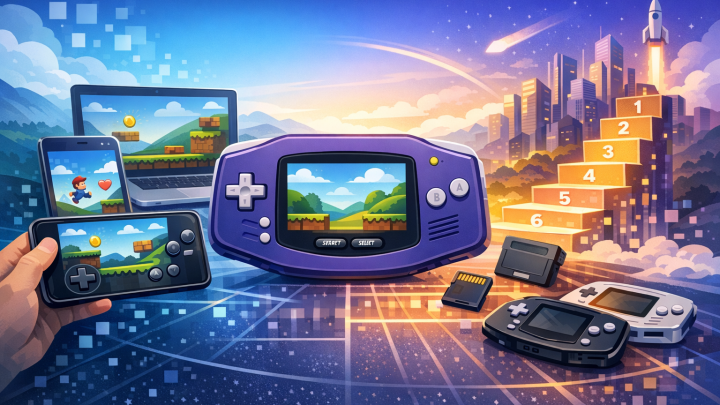
If you grew up in the early 2000s, you remember a small cartridge slipping into a clamshell handheld, the soft click of a power switch, and the unmistakable startup chime of a 32-bit adventure. The Game Boy Advance era defined portable gaming for a generation. Today, that catalogue lives on inside your pocket — but the hardware doesn't have to. EMUverse is a retro GBA emulator for iPhone and iPad
that brings the entire 32-bit handheld library back to life with the quality-of-life features modern players expect: instant save states, configurable cheats, controller support, custom skins, and fast-forward.
You don't need to jailbreak your device. You don't need a desktop computer to sideload anything. You don't need to chase fragile beta links. EMUverse is a finished, polished, App Store-grade experience that takes minutes to set up and works the moment you import your first ROM. Whether you want to revisit a single afternoon of nostalgia or replay an entire 60-hour role-playing campaign on the train to work, EMUverse is the retro emulator iOS gamers have been waiting for.
This page is a complete guide to what EMUverse does, why it matters, and how to get the most out of it. By the time you finish reading, you'll understand exactly how a modern GBA emulator works, what separates a good one from a mediocre one, and how to start playing your favorite 32-bit titles on your iPhone today.
What Is a GBA Emulator, Really?
A GBA emulator is a piece of software that recreates — in code — the hardware behavior of the original 32-bit handheld console. The actual handheld used an ARM7TDMI processor running at 16.78 MHz, paired with a small co-processor inherited from the previous Game Boy generation for backwards compatibility. It had 96 KB of video RAM, 32 KB of work RAM, and a 240×160 pixel LCD that defined the visual identity of an entire era of pixel art.
When you launch a ROM inside a modern emulator like EMUverse, the app is doing something genuinely remarkable: it's reading the original cartridge data and executing each instruction the way the real chip would have, frame by frame, sample by sample. The CPU is simulated in software. The audio mixer is rebuilt in code. The sprite engine, the background layers, the rotation and scaling effects — all of it is reconstructed inside your phone in real time, faster than the original hardware ever ran.
That's the magic of emulation. A device that fits in your palm is now powerful enough to perfectly recreate hardware that defined the 2000s. The iPhone you carry today is roughly a thousand times faster than the original 32-bit handheld. That headroom is what makes features like fast-forward, instant rewind, and high-resolution upscaling possible without sacrificing accuracy.
A great GBA emulator iOS experience isn't just about getting games to boot. It's about closing the gap between authentic, frame-perfect emulation and the conveniences of a modern touchscreen device. EMUverse is built around that exact balance: faithful to the original where it counts, modernized where it helps.
How Emulation Differs From a Port or Re-Release
People sometimes confuse emulation with porting. A port is a game that's been rewritten — sometimes from scratch — to run natively on new hardware. A re-release is a port bundled into a store. Emulation runs the original, unmodified game on the new hardware by simulating the old hardware in software.
This distinction matters for two reasons. First, emulation preserves the original feel: input timing, audio mixing quirks, frame pacing, even tiny rendering glitches that became part of the game's identity. Second, emulation gives players access to games that were never re-released — a huge percentage of the GBA library never made it to a modern storefront and likely never will.
A well-built retro GBA emulator is a preservation tool. EMUverse treats it that way.
Why EMUverse Stands Out Among iOS Emulators
The App Store has historically been a difficult place for emulators. For more than a decade, Apple's review guidelines made it nearly impossible for a fully featured retro emulator to ship through the official store. That changed in 2024, and the landscape opened overnight — but most of the apps that rushed in were either thin wrappers around open-source code with no thought toward usability, or paid apps with the bare minimum of polish.
EMUverse was built differently. It's designed iOS-first, with a Liquid-Glass-aware interface, native haptics, gamepad support routed through Apple's official Game Controller framework, iCloud-aware save handling, and full localization across more than twenty languages. It isn't a port of a desktop emulator with a touchscreen glued on top. It's an iOS app that happens to play retro games — and that distinction shows in every screen.
You get:
Frame-perfect 32-bit emulation with no audio crackle, no frame pacing stutter, and no input latency beyond what the touchscreen itself introduces.
Six headline features — Instant Saves, Fast Forward, Custom Skins, Gamepad Connect, Cheats Enabled, and AutoSave — each documented in detail below.
Twenty-plus languages with on-device auto-detection.
A free tier with no ads in gameplay. Play your library without seeing a banner during a boss fight.
An iPhone-native design that respects safe areas, dynamic type, dark mode, and reduced motion.
If you've tried other emulators and felt that something was off — controls floating in the wrong place, save states overwriting each other silently, fast-forward causing audio to glitch — you'll feel the difference within a few minutes of using EMUverse.
The Six Features That Define a Modern Retro Emulator
Every feature in EMUverse exists to solve a real problem players run into with the original hardware or with cheaper emulators. None of them are gimmicks. Here's what each one does, why it matters, and how to get the most out of it.
1. Instant Saves — Save Anywhere, Resume in Seconds
The original 32-bit handheld saved games to a tiny battery-backed chip on the cartridge itself. Save points were rare. Long stretches of platformers, RPGs, and puzzle games had to be played in a single sitting or risked. Modern lives don't work that way.
EMUverse uses save states — full snapshots of the emulated machine's memory, CPU registers, and video state — to let you save anywhere, anytime, with a single tap. When you load a save state, the game resumes exactly where you left it, down to the position of every enemy, the timer in the music track, and the contents of every register. There's no perceptible loading time. The screen doesn't flicker.
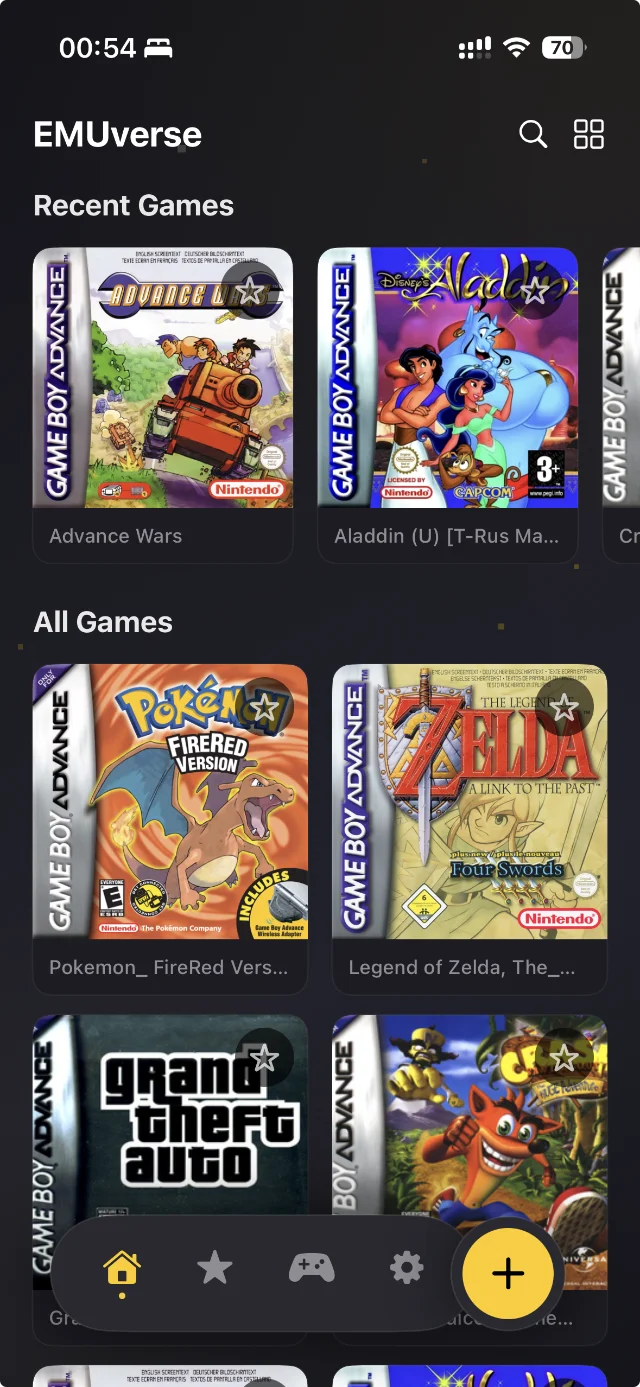
You get ten save slots per game, each with its own thumbnail and timestamp, so you can experiment with branching paths in RPGs, practice difficult sections of platformers, or simply jump back in mid-cutscene without missing a beat. Instant Saves are the single most important quality-of-life feature in modern emulation, and EMUverse implements them as a first-class, zero-friction part of the experience.
2. Fast Forward — Skip the Grind, Keep the Story
If you've ever played an early-2000s RPG, you remember the grind: thirty minutes of random battles to level up before a boss, fifteen seconds of text crawl between every story beat, ten-minute walking sequences between dungeons. The games were paced for kids with infinite afternoons.
EMUverse's Fast Forward mode runs the game at up to 8× speed at the tap of a button. Audio is pitch-corrected so dialogue stays intelligible. Inputs remain responsive, so you can fast-forward through grinding and instantly drop back to real time the moment a battle starts. Players who use Fast Forward routinely report finishing 40-hour RPGs in under fifteen hours of actual play, without ever feeling like they skipped content.
It's the single feature that makes the GBA's enormous role-playing back catalogue genuinely accessible again. Games that felt punishingly slow on original hardware become tightly paced on a modern device.
3. Custom Skins — Make the App Yours
EMUverse ships with a curated catalogue of touch overlay custom skins — visual themes that change how the on-screen controls look while you play. There's a classic gray Retro Grey skin for purists, a translucent Liquid Glass skin built around iOS 26's new design language, a bold Crimson Classic red theme inspired by classic handheld cartridges, a Pocket Retro dark theme for OLED displays, and several others including a tribute to the early-2000s pearl-finish era.
Each skin isn't just a re-skin of the buttons — the entire frame, background, and even the d-pad geometry can shift to match the aesthetic. Players who care about how the app looks on their phone can spend a few minutes finding a skin that matches their device, their case, and their mood.
The skin system is designed so that new themes can be added over time. The NEW badge in the skin selector highlights themes added in recent updates, so you always know when there's something fresh to try.
4. Gamepad Connect — Plug In and Play
Touch controls have come a long way, but for serious play sessions, nothing beats a physical controller. EMUverse fully supports Apple's Game Controller framework, which means you can pair virtually any modern controller — including official PlayStation and Xbox controllers, MFi-certified mobile gamepads, and clip-on iPhone controllers — and start playing within seconds.
When a controller is connected, the on-screen controls fade out automatically so they don't obstruct the screen. You can also customize the button mapping inside Settings, so the controller's face buttons match your muscle memory. Hot-plug is fully supported: connect a controller mid-game and the controls switch over immediately, with no need to restart the emulator.
For commute play, the small clip-on controllers that grip your phone like a handheld are particularly recommended. They turn your iPhone into something that feels remarkably close to the original handheld experience, but with a 6-inch screen and modern features layered on top.
5. Cheats Enabled — Modify the Game, Modernize the Fun
Game cheats — the kind you used to write on the back of a school notebook — are still a huge part of retro gaming culture. EMUverse supports the classic codeset formats players already know, letting you enable infinite lives, unlock special items, walk through walls, or experience games in ways the original developers never imagined.
The Cheats menu is built to be friendly to newcomers and powerful for experts. You can enable or disable individual cheats with a single tap, group cheats by category, and save your favorite combinations for each game. Cheat codes are stored locally, organized by ROM, and persist between sessions.
Unlike older emulators, EMUverse parses cheat codes safely. A malformed code won't crash the emulator — it'll be flagged with a clear error message so you can correct it. For players exploring the classic catalogue for the first time, cheats are a great way to lower the difficulty curve on punishing 32-bit-era games whose design philosophies haven't aged kindly.
6. AutoSave — Never Lose Progress Again
The most frustrating moment in retro gaming is losing two hours of progress because you forgot to save before a power outage, an unexpected phone call, or a battery die. AutoSave solves that.
EMUverse automatically captures a fresh save state every few minutes in the background, with zero impact on performance. If your phone restarts, the app crashes, or you simply force-quit by accident, the last AutoSave is waiting for you the next time you open the game — usually within thirty seconds of where you left off.
AutoSave runs in addition to your manual save slots, so it never overwrites your deliberate checkpoints. You can disable it in Settings if you prefer to save only manually, but most players leave it on. It's invisible when you don't need it and a lifesaver when you do.
How to Play GBA Games on Your iPhone — Step-by-Step
One of the most common questions new players ask is simply: how do I actually start playing? The answer is short. EMUverse is designed to be ready in under five minutes from a fresh install.
Step 1 — Install EMUverse
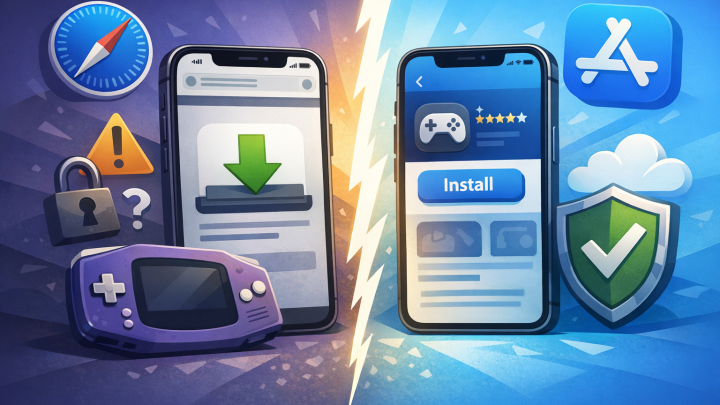
Download EMUverse from the App Store on any iPhone or iPad running a recent version of iOS. The app is universal, so a single download works across all your devices and your saves can be synced across them via iCloud if you choose to enable it.
Step 2 — Import a ROM
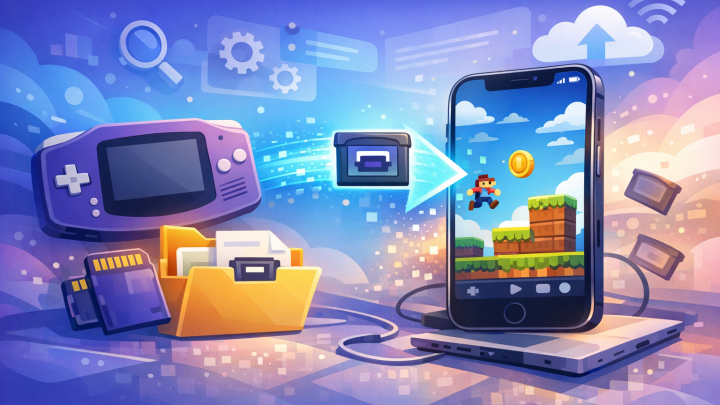
ROMs are the digital copies of cartridge data that the emulator reads. EMUverse supports the standard 32-bit handheld ROM formats — typically .gba files, as well as .zip archives containing a single ROM. You can import ROMs in several ways:
Drag and drop from the Files app (the simplest method)
Open a ROM from any iOS-integrated cloud storage service
AirDrop a ROM file from your Mac or another iOS device
Long-press a ROM in Safari and choose Open in EMUverse
EMUverse does not include or distribute ROMs. You are responsible for sourcing them in compliance with applicable laws. Most regions recognize personal backups of games you legally own.
Step 3 — Tap to Play
Once a ROM is imported, it appears in your library with auto-detected box art. Tap the game, and it boots in under a second. The on-screen controls appear in your chosen skin. You're playing.
That's it. Three steps, less than five minutes. There's no configuration nightmare, no driver installs, no BIOS hunt. EMUverse handles all of that under the hood.
Compatibility — How Many GBA Games Actually Work?
The short answer: virtually every commercially released 32-bit handheld title runs perfectly in EMUverse. The library is approximately 1,500 commercial games released between 2001 and 2008, plus a healthy archive of unlicensed, homebrew, and fan-made titles released since the platform's commercial run ended.
EMUverse's emulation core is based on the same battle-tested techniques used by leading desktop emulators, with iOS-specific optimizations layered on top. Specifically:
CPU emulation is dynamically recompiled where possible, falling back to a high-accuracy interpreter for edge cases.
Graphics emulation handles all the original sprite, background, and special effect modes — including the rotation and scaling effects that defined the platform's visual signature.
Audio emulation reproduces both the four classic sound channels (carried over from the previous generation) and the two PCM channels that the 32-bit handheld added, mixed at full quality.
Save data is preserved in the original cartridge save format, meaning you can move saves between EMUverse and other emulators if you ever need to.
If you're a fan of role-playing classics, platformer staples, action-adventure series, puzzle games, racing titles, or the deep cuts of the late commercial run, your favorites will work. Pokemon ROM hacks, which are an increasingly popular sub-genre with millions of monthly players, are fully supported. Translation patches for Japanese-only titles work without issue. Hardware-accurate effects that some emulators get wrong — like the mode-7 style pseudo-3D effects in racing and RPG titles — are rendered correctly.
In short: the library is intact, and EMUverse plays it the way it was meant to be played.
Cheats — A Closer Look
Cheats deserve their own section because they're one of the most-searched topics in retro gaming, and one of the features most poorly implemented in cheaper emulators. EMUverse supports the classic two major cheat code formats used during the 32-bit handheld era.
Reveal hidden content the developers shipped but never made accessible
Enable wild meta effects, like everything you touch becomes coins
The classic codeset for early-2000s handhelds runs to hundreds of thousands of individual codes. The community has been documenting them for two decades. EMUverse parses them safely and applies them in real time as you play.
How to Enable Cheats
Open any game, tap the menu icon, choose Cheats, paste a code from a public cheat database, give it a name, and toggle it on. The cheat applies instantly. Toggle it off, and the game returns to vanilla behavior. Cheats persist across save states and across sessions.
If a code is malformed, you'll see a clear error message rather than a crash. If multiple cheats conflict, you'll be warned. This is the kind of attention to detail that separates a well-built modern emulator from a quick port.
Should You Use Cheats?
That's up to you. Purists will tell you cheats ruin the experience. Speedrunners use them as practice tools. RPG players use them to skip grind sections. New players use them to lower difficulty in unforgiving games. There's no wrong answer — that's the whole point of cheats existing as a feature.
Custom Skins — A Closer Look
Skins might sound like a cosmetic afterthought, but they're one of the features players actually mention most often after using EMUverse for a few days. Here's why.
Skins Change How the App Feels, Not Just How It Looks
A skin isn't just a recolor. It changes the layout of the d-pad relative to the action buttons. It adjusts the size of the start and select buttons. It changes the texture and finish of the simulated bezel around the screen. Some skins emphasize the screen by minimizing the surrounding frame; others lean fully into nostalgia by reproducing the look of specific late-90s and early-2000s handheld devices.
Finding the right skin for your phone and your hand can make the difference between an emulator that feels like an emulator and one that feels like a portable console.
The Skin Catalogue
EMUverse currently includes:
Classic Grey — the default, a faithful tribute to the iconic gray of early handhelds
Liquid Glass — built around iOS 26's translucent design language, with depth and frost
Pocket Retro — a dark, OLED-friendly theme with a subtle game-pattern texture
Crimson Classic — a bold red theme inspired by special-edition cartridges
Pearl Edition — pearl-finish white, paying homage to the redesigned mid-cycle handheld
Translucent Indigo — a clear plastic look reminiscent of late-90s handheld aesthetics
Stealth Black — minimalist black-on-black for players who want zero visual distraction
New skins are added periodically. When a fresh skin appears, the Skins section in Settings shows a NEW badge so you don't miss it.
How EMUverse Compares to Other iOS Emulators
The iOS emulator space has expanded rapidly since Apple's policy change. Players are spoiled for choice, but the apps are not all built to the same standard. Here's an honest comparison.
vs. Open-Source Wrappers
Several free apps on the store are essentially thin wrappers around well-known open-source emulator cores. They work, but they often inherit desktop-era UI conventions: tiny buttons, confusing menus, no native iOS feel. EMUverse is built from the ground up with iOS design in mind. The difference is visible the moment you open the app.
vs. Multi-System Emulators
Some apps try to emulate every console ever made — NES, SNES, Genesis, N64, PSP, and more — all in one binary. The breadth is impressive, but the depth often suffers. Each system gets less attention. UI compromises pile up. EMUverse focuses on the 32-bit handheld era specifically, and that focus shows in feature density and polish.
vs. Paid Premium Emulators
The premium tier of iOS emulators often charges five to fifteen dollars upfront, then doesn't include a usable trial. EMUverse offers a free tier with no in-game advertising, so you can play your entire library without paying anything if you don't want premium features. The optional premium tier unlocks advanced features without locking out core gameplay.
The takeaway: EMUverse is the retro GBA emulator iOS users describe as the one that finally felt finished.
Use Cases — When EMUverse Genuinely Shines
There are a few specific scenarios where EMUverse becomes more than just an app — it becomes a daily companion.
The Commute Player
If your commute is more than ten minutes, EMUverse pays for itself in your first week. Pair a clip-on controller, queue up an RPG you never finished, and lose yourself for the duration of the ride. Save states mean you can stop on a dime when your stop is announced. Fast-forward means you can clear a grindy section before your phone battery dips.
The Nostalgia Replayer
You remember a specific game. Maybe it was a birthday gift. Maybe you played it at a relative's house and never owned it. EMUverse lets you reconnect with that exact title, with the exact controls, on hardware you already own. The nostalgia hit is real — and for many players, the entire reason they downloaded the app.
The First-Time Explorer
You've heard about the great 32-bit handheld era but missed it the first time around. EMUverse is a guided tour of an entire generation of game design. Twenty hours in the catalogue will teach you more about pixel-art game design than a year of academic study. Start with a couple of well-regarded RPGs, then branch out into platformers, puzzles, and the deep cuts.
The ROM Hack Enthusiast
A massive modern scene revolves around fan-made hacks of the 32-bit handheld era's biggest series. Some hacks are genuinely better than the originals — more content, refined balancing, richer storytelling. EMUverse runs them perfectly. Pokemon Radical Red, Crystal Clear-style hacks, and dozens of others work without configuration.
Privacy, Performance, and What Happens On-Device
Modern players care about privacy as much as performance. EMUverse is designed around both.
Performance
EMUverse runs at full speed on any iPhone released in the last five years. On modern chips, you can fast-forward at 8× without dropping frames. CPU usage is conservative, so your battery lasts. Thermal throttling is rare; the app is engineered to keep your phone cool even during long sessions.
Privacy
EMUverse does not upload your ROMs, your saves, or your gameplay anywhere. Everything happens on your device. Optional iCloud sync exists, but it goes through your personal iCloud account — Apple-encrypted, Apple-managed, never touching any EMUverse server.
Anonymous analytics help us understand which features players use most, so we can improve them. You can opt out in Settings. There is no tracking SDK collecting personal information, no advertising identifier shared with third parties, and no behavioral profile being built about you.
Frequently Asked Questions
Is EMUverse legal?
EMUverse, the app itself, is fully legal — emulator software is consistently recognized as legal under United States law and the equivalent legislation in most other jurisdictions. The legality of running specific ROMs depends on whether you own the original cartridge. EMUverse does not distribute ROMs and takes no position on individual users' sources.
Do I need to jailbreak my iPhone?
No. EMUverse is distributed through the App Store and runs on any stock iOS device.
Is EMUverse free?
Yes. The free tier includes all six headline features without any in-game advertising. An optional premium tier unlocks advanced customization and additional skins.
Will my old saves work?
If you have save files in the original cartridge save format, you can import them into EMUverse and continue exactly where you left off. Save states from other emulators are not currently importable, but native saves are fully compatible.
Does EMUverse support cheats?
Yes. The classic two major cheat code formats from the 32-bit handheld era are both supported. See the Cheats section above.
Does EMUverse support controllers?
Yes. Any controller compatible with Apple's Game Controller framework will work, including most modern PlayStation and Xbox controllers and all MFi-certified gamepads.
Can I use EMUverse on iPad?
Yes. EMUverse is a universal app and is fully optimized for both iPhone and iPad, including landscape-only iPad layouts with larger touch targets.
What languages does EMUverse support?
Over twenty languages, with on-device auto-detection. The app launches in your system language by default, and you can override it in Settings.
Will EMUverse drain my battery?
Less than most modern games. The 32-bit handheld era's hardware was simple enough that emulating it uses a fraction of an iPhone's available power. A two-hour play session typically uses 15–20% battery.
How big are the game files?
Most 32-bit handheld ROMs are between 4 MB and 32 MB. A library of 50 games takes around 800 MB of storage — about the same as one modern App Store game.
Will EMUverse get updates?
Yes. EMUverse is in active development. New skins, new languages, performance improvements, and quality-of-life features ship regularly. Follow the EMUverse blog for release notes.
Ready to Start Playing?
You're three taps away from your first game: download EMUverse, import your ROM, and tap to play. That's the entire setup. The 32-bit handheld library — over 1,500 commercial games and countless fan-made hacks — opens up in front of you the moment the first ROM appears in your library.
EMUverse is the retro GBA emulator the iPhone has been waiting for. It's free to start. It's fast. It's accurate. It's beautifully designed. We hope you love it as much as we loved building it.