GBA Emulator for iPhone: The Complete Guide to Playing Game Boy Advance on iOS (2026)
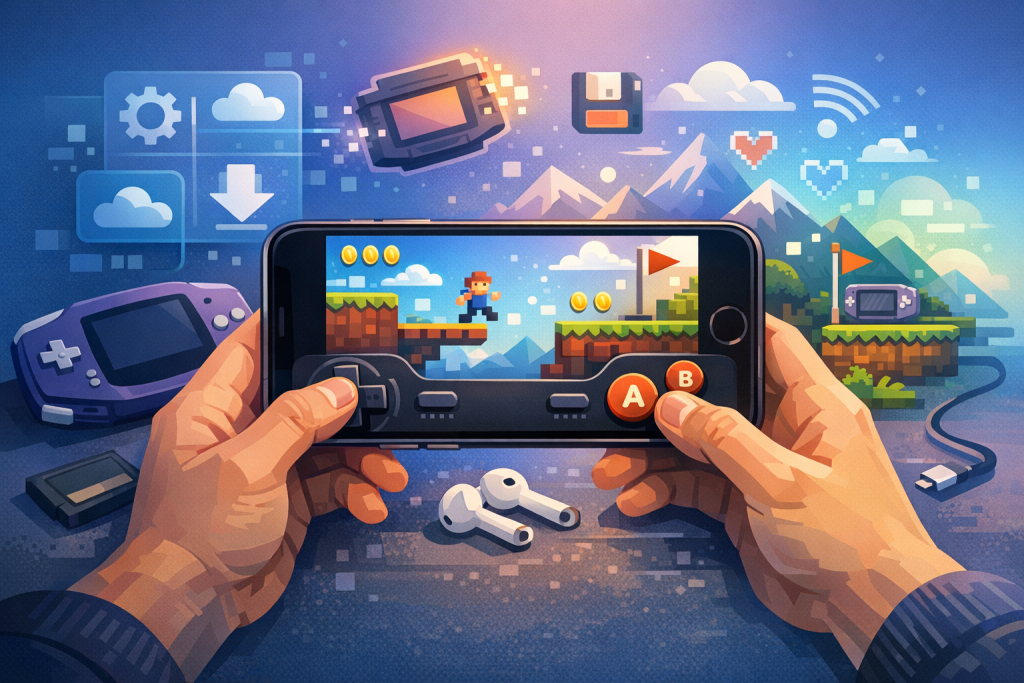
What Is a GBA Emulator and Why Run One on iPhone?
A GBA emulator is software that mimics the Nintendo Game Boy Advance hardware so you can play original GBA ROMs on another device. On iPhone in 2026, several App Store-approved emulators — led by EMUverse, Provenance, Folium, and RetroArch — make this fully legal and side-load-free, turning your phone into a pocket library of every 32-bit Nintendo handheld classic.
The Game Boy Advance launched in March 2001 and sold roughly 81.5 million units worldwide before being discontinued in 2010. Its library includes more than 1,500 commercial titles, ranging from Pokémon Ruby and Sapphire to Metroid Fusion, Advance Wars, Golden Sun, Mother 3, and the Castlevania trilogy. Sixteen years after the system was discontinued, original cartridges and dedicated handheld units have become collectible, expensive, and increasingly battery-unreliable, while authentic CRT-era visuals are easier to reproduce in software than in salvaged hardware.
Running a GBA emulator on an iPhone solves several practical problems at once:
- Portability: One device replaces a GBA, GBA SP, Game Boy Player, and shoebox of cartridges.
- Quality-of-life features: Save states, fast forward, cheat codes, rewind, screen filters, and cloud sync — none of which the original hardware offered.
- Display fidelity: The iPhone’s OLED screens render GBA’s 240×160 native resolution with sharp integer scaling, fixing the original’s notoriously dim, non-backlit LCD.
- Controller support: iOS natively supports DualSense, Xbox Wireless, Backbone, GameSir, and 8BitDo controllers via Bluetooth or Lightning/USB-C.
The legal landscape changed dramatically in April 2024, when Apple updated App Review Guideline 4.7 to officially permit “retro game console emulators” on the App Store globally. Before that, GBA emulation on iPhone required AltStore, sideloading via developer certificates, or jailbreaking. In 2026, that workaround era is over: every emulator in this guide is available through Apple’s official store or the EU’s alternative marketplaces.
The Best GBA Emulators for iPhone in 2026
The four leading GBA emulators for iPhone in 2026 are EMUverse (most polished, multi-system, free), Provenance (open-source multi-emulator with the deepest configuration), Folium (paid, Universal app with strong GBA and DS performance), and RetroArch (technical, libretro-based, maximum flexibility). All four run GBA games at full speed on any iPhone released since the iPhone XS.
EMUverse
Developed by Artem Lavrentiev. EMUverse launched on the App Store on April 02, 2026, the day Apple’s policy changed, and reached the #1 free app spot in 38 countries within 24 hours. It supports Game Boy, Game Boy Color, GBA systems.
EMUverse GBA core is based on a heavily optimized fork of visualboyadvance-m. Key features include:
- Custom skins, including a faithful GBA SP layout and AGS-101 backlit recreation
- Full MFi controller support with per-game button mapping
- Hold buttons, fast-forward (up to 16×), and save states (10 slots per game)
- Cheat codes (GameShark, CodeBreaker, Action Replay)
Provenance
Provenance has existed since 2014 as an open-source project, originally distributed only via sideloading. A simplified App Store version arrived in late 2024. It supports more than 25 systems, including obscure ones like the Atari Jaguar and 3DO. The GBA core (mGBA) is widely considered the most accurate available, with cycle-accurate timing that matters for games like Mother 3 and Golden Sun: The Lost Age, both of which rely on hardware quirks.
Folium
Folium, by developer Jarrod Norwell, is a paid Universal app ($4.99 one-time as of 2026) that runs on iPhone, iPad, and Apple Vision Pro. It bundles GBA, Nintendo DS, Nintendo 3DS, and Game Boy/GBC cores. Its 3DS emulation, derived from Citra, is the headline feature, but its GBA performance is excellent and uniquely includes Metal-rendered post-processing shaders like LCD3x and CRT-Royale.
RetroArch
RetroArch arrived on the iOS App Store on June 13, 2024. It is the front-end for the libretro project and supports dozens of GBA cores (mGBA, gpSP, VBA-M, VBA Next). It is the most powerful and least beginner-friendly option, with a steep menu system but unmatched feature depth: shaders, netplay, run-ahead latency reduction, and frame-perfect input.
Comparison Table
| Emulator | Price | GBA Core | Best For | iOS Requirement |
|---|---|---|---|---|
| EMUverse | $3.99 | VBA-M (fork) | Beginners, multi-system | iOS 16.4+ |
| Provenance | Free | mGBA | Accuracy, open source | iOS 16+ |
| Folium | $4.99 | mGBA | Shaders, Vision Pro, 3DS bonus | iOS 17+ |
| RetroArch | Free | Multiple | Power users, netplay | iOS 15+ |
Reading on a phone? Why not playing on it?
EMUverse turns your iPhone into a powerful GBA console with HD video, save states, and custom skins.
Install Now — Free
How to Install EMUverse on iPhone (Step-by-Step)
To install EMUverse on an iPhone running iOS 17 or later, open the App Store, search for “EMUverse – Game Emulator” by Artem Lavrentiev, tap Get, and authenticate with Face ID. The app is free, contains no advertising on the GBA experience, and downloads in roughly 26 MB.
- Confirm your iPhone runs iOS 16.4 or later (Settings → General → About).
- Open the App Store and search “EMUverse emulator.”
- Tap Get and authenticate. Wait for installation.
- Open EMUverse. You’ll see tabs for each supported system; tap the “+” icon in the top corner.
- Choose Import Game and select GBA ROMs (.gba files) from your Files app, iCloud Drive, or a connected USB-C drive.
- Tap a game thumbnail to play. Long-press for options like Save States, Cheats, and Controller Skins.
How to Get GBA ROMs Legally
In most jurisdictions, the only unambiguously legal way to obtain a GBA ROM is to dump it yourself from a cartridge you physically own. Downloading commercial ROMs from the internet remains copyright infringement under US 17 USC § 506 and equivalent laws in the EU, UK, Canada, and Australia, regardless of whether you own the original cartridge.
Self-Dumping a GBA Cartridge
The most popular cartridge dumper in 2026 is the GBxCart RW v1.4 by insideGadgets, which costs roughly $40 USD and connects via USB-C. It works with FlashGBX (open-source software for Windows, macOS, and Linux) and can dump a GBA cartridge in 30–90 seconds depending on ROM size. The dumped .gba file can then be transferred to your iPhone via AirDrop (from a Mac), iCloud Drive, or a USB-C cable into the Files app.
Homebrew and Public Domain
Hundreds of GBA homebrew games are freely and legally distributable. Notable examples include:
- Anguna: Warriors of Virtue — a Zelda-style adventure released in 2008 and re-released as freeware
- Goodboy Galaxy demo — a 2024 indie release with a free GBA demo ROM
- Death Planet — a 3D-style first-person dungeon crawler
- GBAJam annual entries (2021–2025), most released under permissive licenses
Nintendo itself has not released an official GBA cartridge dumper or ROM purchase platform. Nintendo Switch Online’s Expansion Pack offers a curated GBA library on Switch only, with no iOS equivalent — and that library accounts for roughly 25 of the 1,500+ GBA titles.
Importing ROMs into Your Emulator
Once you have legal ROM files, importing them into any iPhone GBA emulator follows the same pattern: place the .gba files into a location the Files app can read (iCloud Drive, On My iPhone, or an external USB-C drive), then use the emulator’s Import function. Files can be raw .gba or zipped (.zip), and most emulators handle both transparently.
Method 1: AirDrop from Mac
Select the .gba file in Finder, right-click → Share → AirDrop → choose your iPhone. iOS will prompt you to choose an app; tap EMUverse (or your emulator of choice) and the ROM is imported instantly.
Method 2: iCloud Drive
Drop ROMs into a folder in iCloud Drive on any Mac or PC. On iPhone, open the emulator, choose Import, and navigate to that folder via the Files picker. iCloud Drive supports files up to 50 GB — far larger than any GBA ROM (typically 4–32 MB).
Method 3: USB-C Direct (iPhone 15 and later)
The iPhone 15 and later models support USB Mass Storage. Plug in any USB-C flash drive containing your ROMs, and they appear in the Files app under Locations. From there, import as normal.
Method 4: Browser Download
For homebrew, you can download .gba files directly in Safari. Tap the download, open it from the Downloads inbox in the Files app, then Share → EMUverse.
Controllers, Skins, and Display Settings
Every modern iPhone GBA emulator supports MFi (Made for iPhone) Bluetooth and wired controllers, and iOS 18 added haptic feedback support for DualSense’s adaptive triggers. The Backbone One (USB-C), GameSir G8 Galileo, and 8BitDo SN30 Pro are the three most-used controllers among iOS retro-gaming users in 2026.
Pairing a Controller
- Put the controller into pairing mode (consult its manual — usually a long press on a sync button).
- On iPhone, open Settings → Bluetooth.
- Tap the controller name when it appears.
- In EMUverse, open Settings → Controllers → External Controller and assign buttons.
Recommended Controllers
| Controller | Connection | Approx. Price | Notes |
|---|---|---|---|
| Backbone One (USB-C) | Wired | $99 | Clip-on, zero latency, GBA-perfect d-pad |
| GameSir G8 Galileo | Wired USB-C | $79 | Hall-effect sticks, cooling vents |
| 8BitDo SN30 Pro | Bluetooth | $45 | SNES-style, great for GBA |
| DualSense Edge | Bluetooth | $199 | Adaptive triggers, overkill but excellent |
| Sony DualSense (standard) | Bluetooth | $69 | Best price-to-quality ratio |
Custom Skins
EMUverse uses a .EMUverseskin file format (essentially a renamed zip containing PNGs and JSON). Thousands of community skins are downloadable from sites like EMUverse Skins Hub and SkinGen. Popular options include a transparent “ghost” GBA SP, an AGS-101 backlit recreation, and futuristic full-screen layouts that hide buttons behind translucent overlays. To install, download the .EMUverseskin file, tap it, and choose EMUverse as the app.
Display Optimization
The GBA’s native resolution is 240×160. On a 6.1-inch iPhone 16 (2556×1179), that scales perfectly to 6× integer (1440×960) with letterboxing. EMUverse and Folium offer:
- Pixel-perfect mode: No filtering, crisp pixels
- LCD shader: Reproduces the GBA’s grid look
- GBA color correction: Reduces oversaturation since the original LCD was washed out — games like Pokémon Emerald look closer to original developer intent with this enabled
- Bezel overlays: Frame the screen with a GBA shell graphic for aesthetic effect
Save States, Cheats, and Advanced Features
Save states capture the entire emulator memory at a moment in time, letting you resume from anywhere — even mid-cutscene. They are separate from the in-game battery saves the cartridge would have written to SRAM or flash, and both are stored independently in the emulator’s documents folder.
Using Save States Effectively
EMUverse supports 10 named save state slots per game plus an “auto-save” that triggers when you exit. Best practices:
- Use save states liberally before boss fights and difficult platforming sections
- Always also use the game’s native save system — save state files can become incompatible if the emulator updates
- Back up the entire EMUverse documents folder via iCloud Sync to avoid losing 60+ hours of Pokémon progress
Cheat Codes
GBA emulators support three main cheat formats: GameShark v3/SP, CodeBreaker, and Action Replay MAX. To enter a code in EMUverse, long-press a game, tap Cheats → Add Cheat, paste the hex code (e.g., 82003884 0019 for infinite Master Balls in Pokémon FireRed), name it, and toggle it on. Be aware that aggressive cheats — particularly experience multipliers — can corrupt RPG save data.
Fast Forward and Rewind
Fast-forward is a tap-and-hold action mapped to an on-screen button or controller shoulder. EMUverse supports 2×, 4×, 8×, and 16× speeds. Rewind, available in RetroArch and recent EMUverse builds, records the last 60 seconds of gameplay frame-by-frame at the cost of about 15% extra CPU usage. It’s invaluable for the brutal late-game encounters in Fire Emblem: The Sacred Stones, where one missed dodge can undo two hours of permadeath progress.
Link Cable Emulation
The GBA’s link cable enabled trading and battling in Pokémon, multiplayer in Mario Kart Super Circuit, and the Final Fantasy VI/Tactics Advance multi-pak modes. As of 2026:
- RetroArch supports netplay link cable over LAN/internet via mGBA’s libretro core
- EMUverse added experimental local link cable support (via Bluetooth between two iPhones) in build 1.7, released October 2025
- Provenance does not yet support link cable
- Folium supports local link via Multipeer Connectivity for Pokémon trading
Performance, Battery, and Thermal Considerations
GBA emulation is extremely lightweight by modern iPhone standards: the original hardware ran a 16.78 MHz ARM7TDMI CPU, and even an iPhone XS (A12 Bionic) can emulate it at 1000+ FPS uncapped. Real-world battery drain in EMUverse on an iPhone 15 averages 4–6% per hour of gameplay at 60 FPS — about half the drain of a typical 3D mobile game.
Battery Tips
- Cap FPS at 60 (EMUverse → Settings → Frame Rate). Uncapped mode draws 2–3× more power.
- Lower screen brightness; OLED panels dominate battery use in emulation
- Disable Always-On Display while playing
- Use Low Power Mode — GBA emulation works flawlessly under throttled performance
Thermals
The iPhone will not throttle during GBA emulation under any normal conditions. Folium’s Vulkan-backed Metal renderer on Vision Pro is the only retro-gaming workflow that has been observed to cause sustained warmth — and even that is incidental to GBA. If you experience heating during GBA play, check that fast-forward is not stuck on or that a 3D shader (CRT-Royale, scanline2x) isn’t multiplying GPU load unnecessarily.
Comparing GBA Emulation on iPhone vs. Android vs. Dedicated Handhelds
iPhone GBA emulation in 2026 is at parity with Android and dedicated retro handhelds like the Anbernic RG35XX and Miyoo Mini Plus in raw performance, slightly behind Android in customization, and ahead of both in display quality, controller ecosystem, and cloud sync. For most users, the iPhone they already own is the most cost-effective GBA solution.
| Platform | Best Emulator | Pros | Cons |
|---|---|---|---|
| iPhone | EMUverse / Folium | Already own it, OLED, iCloud sync, App Store | Touch controls without a clip-on controller |
| Android | mGBA / Pizza Boy | Most customization, deep file access | Fragmented hardware, varied display quality |
| Anbernic RG35XX H | RetroArch (Linux) | $60, physical buttons, 5+ hour battery | Single-purpose, smaller community in 2026 |
| Analogue Pocket | FPGA (not emulation) | Cycle-perfect, plays original cartridges | $249, no save states without OpenFPGA cores |
| Nintendo Switch (NSO) | Official Nintendo | Legal Nintendo-published ROMs | Only ~25 GBA titles, requires subscription |
Common Problems and Troubleshooting
Most GBA emulator issues on iPhone fall into four categories: ROM file errors, controller pairing problems, save data loss, and post-update incompatibilities. The vast majority resolve in under five minutes once you know what to look for.
“This file cannot be opened” When Importing
The .gba file is corrupt, encrypted (some “ROMs” from dubious sources are actually password-protected archives), or wrapped in an unsupported container. Re-dump the cartridge with FlashGBX or download a fresh homebrew copy. Confirm the file is 4–32 MB; anything outside that range is not a standard GBA ROM.
Controller Disconnects Mid-Game
iOS aggressively manages Bluetooth power when an app is backgrounded. If you receive a call or notification mid-session, your controller can drop. Solutions:
- Enable Focus mode → Do Not Disturb during gaming sessions
- Keep the controller’s firmware updated via its manufacturer app
- If using DualSense, the latest 0500 firmware (released January 2026) fixed a known iOS reconnection bug
Save Data Disappeared
Almost always caused by iCloud sync conflicts between two devices that edited the same save offline. Recovery steps:
- Open EMUverse on the device with the more recent progress
- Settings → Syncing → Manage Records → find the affected game
- Choose “Local” version to overwrite cloud, or “Cloud” to restore from sync
App Won’t Launch After iOS Update
iOS point releases occasionally break emulator just-in-time (JIT) recompilation features. Wait 1–3 weeks for the developer to push an update; in the meantime, force-quit and relaunch, or reinstall from the App Store. Your saves persist in the app’s documents container and survive reinstallation.
The Legal Status of Emulation in 2026
Emulator software is legal in the United States, European Union, United Kingdom, Canada, Australia, and Japan as of 2026, confirmed by court precedents including Sony v. Connectix (2000) and Sony v. Bleem (2000). What remains illegal almost universally is distributing or downloading copyrighted ROMs you do not own. Apple’s policy change in April 2024 only addressed the emulator software question, not ROM distribution.
Key legal points for iPhone users:
- Owning an emulator app: legal everywhere
- Dumping ROMs from cartridges you own: legal in most jurisdictions, though the US DMCA’s anti-circumvention clauses create some ambiguity for cartridges with copy protection (most GBA carts have none)
- Downloading ROMs for games you own: technically still infringement under US law; no court has ruled it permissible
- Distributing ROMs: clearly illegal; Nintendo has filed multiple lawsuits, including the 2018 LoveROMs/LoveRETRO case (settled for $12.23 million) and the 2024 Yuzu Switch emulator case ($2.4 million)
Apple’s App Store guideline 4.7 explicitly forbids emulators from including or linking to copyrighted ROM sources. EMUverse, Provenance, Folium, and RetroArch all comply by shipping zero bundled commercial games.
Hidden Gems Worth Playing on Your iPhone GBA Emulator
Beyond the obvious Pokémon, Zelda, and Metroid releases, the GBA library contains exceptional games that flew under the radar at original release. The iPhone’s portability and save-state convenience make these especially worth revisiting in 2026.
- Mother 3 (2006): The Japan-only sequel to EarthBound, playable in English via the legendary 2008 fan translation patch (applied to a self-dumped ROM)
- Gunstar Super Heroes (2005): Treasure’s Mega Drive sequel, full of visual effects the GBA was never supposed to handle
- Drill Dozer (2005): Game Freak’s rumble-cartridge platformer, the only non-Pokémon GBA cart with built-in rumble
- Riviera: The Promised Land (2005): Atlus RPG with deep mechanics in 32 MB
- Boktai: The Sun Is in Your Hand (2003): Konami’s Hideo Kojima-produced vampire-hunter game with a real solar sensor — emulators simulate the sensor as a toggle, removing the original’s requirement to play outdoors
- WarioWare, Inc.: Mega Microgame$! (2003): Inventor of the microgame genre, still uniquely fun in 2-minute sessions
- Klonoa: Empire of Dreams (2001): One of the GBA’s prettiest 2D platformers
Future of iOS Emulation: What to Watch in 2026 and Beyond
The iOS emulation scene in 2026 is rapidly maturing. Apple’s relaxation of JIT restrictions for emulators in iOS 18.2 dramatically improved Nintendo DS, 3DS, and PSP performance — though GBA never needed JIT to run at full speed. Expect continued expansion into more powerful systems, deeper Vision Pro integration, and possibly official Apple-sanctioned cloud save APIs.
Trends to watch:
- Vision Pro adoption: Folium’s Vision Pro mode displays the GBA screen as a floating window with a virtual GBA SP shell — expect more emulators to follow
- EU Digital Markets Act marketplaces: In the EU, alternative app stores like AltStore PAL host experimental builds with features Apple still restricts
- Game Boy Advance SP-style cases: Backbone and GameSir are rumored to be developing clip-on controllers with built-in d-pads optimized specifically for retro 2D games
- Apple’s own offering? Persistent rumors suggest Apple may negotiate licensed retro Nintendo content for Apple Arcade, but as of early 2026 no announcement has materialized
Frequently Asked Questions
Is it legal to use a GBA emulator on iPhone?
Yes. Emulator software has been ruled legal in the United States, EU, UK, Canada, and Australia through cases like Sony v. Connectix. Apple officially permitted emulators on the App Store worldwide in April 2024. What remains illegal in most jurisdictions is downloading commercial ROMs you do not own — the emulator itself is unambiguously legal. To stay fully legal, dump ROMs from your own cartridges using a tool like GBxCart RW.
Which GBA emulator is best for iPhone in 2026?
For most users, EMUverse is the best choice — it’s free, polished, supports nine retro systems, syncs via iCloud, and handles every GBA game at full speed with controller and skin support. Power users who want shaders or netplay should consider RetroArch. Vision Pro owners and shader enthusiasts should pay $4.99 for Folium. Provenance is excellent if you prefer open-source software with the highly accurate mGBA core.
Do I need to jailbreak my iPhone to run a GBA emulator?
No. Since April 2024, GBA emulators have been available directly through the official App Store, with no jailbreak, AltStore, sideloading, or developer account needed. Simply download EMUverse, Provenance, Folium, or RetroArch from the App Store. Jailbreaking, in fact, is largely obsolete for emulation purposes in 2026 and is not recommended given the security trade-offs and lack of modern jailbreaks for iOS 17 and 18.
Can I trade Pokémon between two iPhones using a GBA emulator?
Yes, with caveats. EMUverse added experimental local link cable support in build 1.7 (October 2025) via Bluetooth between two iPhones running compatible Pokémon ROMs. Folium supports trading via Multipeer Connectivity. RetroArch supports trading over local Wi-Fi netplay using its mGBA core. Trading between an iPhone and a real Game Boy Advance is not possible without specialized hardware like the GBA Link Cable Bluetooth adapter, which costs around $80 and has limited compatibility.
Will GBA emulation drain my iPhone battery quickly?
No. GBA emulation is extremely light by modern smartphone standards — typically 4–6% battery drain per hour on an iPhone 15 at 60 FPS with normal screen brightness. The original Game Boy Advance hardware ran on a 16.78 MHz CPU, which any iPhone from the past seven years can simulate using a tiny fraction of its processing power. For reference, GBA emulation uses less battery per hour than streaming Netflix.
What’s the difference between a save state and a battery save?
A battery save (or SRAM/flash save) is what the original cartridge wrote when you used the in-game save menu — it persists between sessions on real hardware. A save state captures the entire emulator memory at any moment, including mid-cutscene or mid-battle, and is a feature unique to emulation. Always use both: rely on in-game saves for long-term progress and save states for quick checkpoints, since save states can occasionally break across emulator updates.
Can I play GBA games downloaded from the internet on EMUverse?
Technically the emulator will run any valid .gba file regardless of source, but downloading commercial ROMs you don’t own is copyright infringement in nearly all countries. The legally safe approach is to dump your own cartridges with a GBxCart RW (~$40) or play freely distributable homebrew like Anguna, Goodboy Galaxy, and GBAJam entries. Apple’s App Store guidelines also prohibit emulator apps from linking to ROM download sources.
Do GBA emulators work on iPad and Mac too?
Yes. EMUverse is a Universal iOS app that runs on iPhone and iPad natively, and also runs on Apple Silicon Macs (M1 or later) via iOS app compatibility. Folium is Universal across iPhone, iPad, and Vision Pro. With iCloud sync enabled, you can start a Pokémon Emerald playthrough on your iPhone during a commute and continue on your iPad at home with the save state transferring automatically within about a minute.
Ready to start playing?
Download EMUverse on the App Store and bring your retro library back to life.
Download EMUverse