How to Play Classic GBA Games on Modern Devices: The Complete 2026 Comparison Guide
The Modern GBA Playback Landscape at a Glance
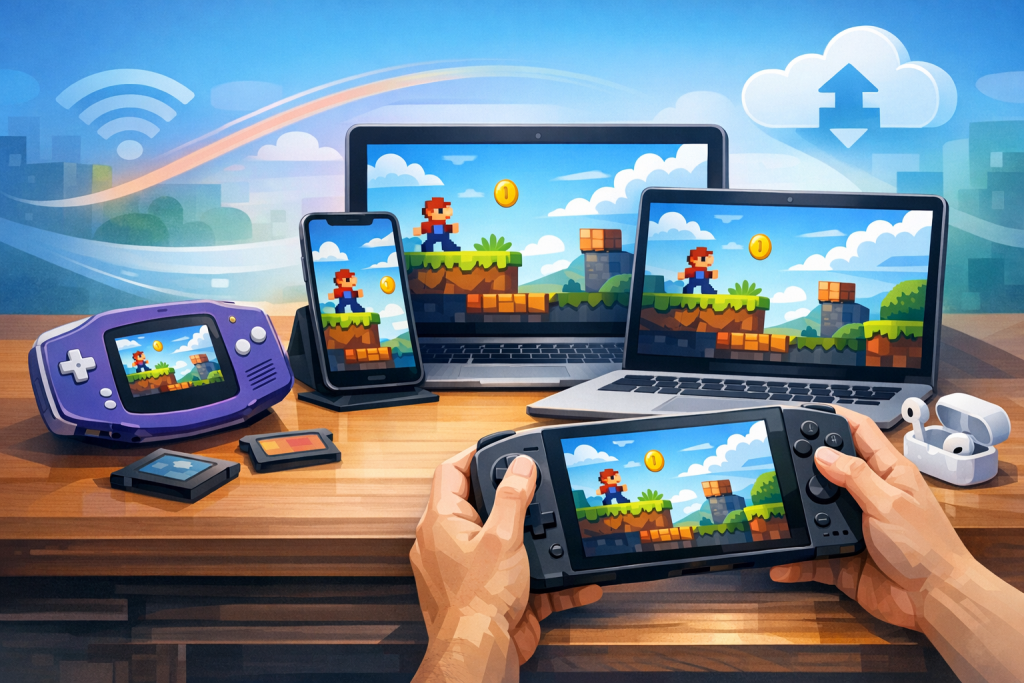
You can play classic Game Boy Advance games on modern devices through five main routes: software emulators (mGBA, VBA-M, Retroarch), dedicated retro handhelds (Anbernic, Miyoo, Retroid), FPGA hardware (Analogue Pocket, MiSTer), Nintendo’s official Switch Online + Expansion Pack library, and original cartridges via flash carts or modded original hardware. Each has tradeoffs in legality, accuracy, cost, and convenience.
The Game Boy Advance, released in March 2001, sold roughly 81.5 million units worldwide and hosted over 1,500 commercial titles, including landmarks like Metroid Fusion, Mother 3, Advance Wars 2, and Pokémon Emerald. Its 32-bit ARM7TDMI CPU running at 16.78 MHz and 240×160 reflective LCD made it both technically interesting and notoriously hard to see without backlight modifications. Modern playback solutions don’t just preserve these games — they often improve on the original hardware with brighter screens, save states, and shader-based color correction.
This guide compares every realistic option in 2025, ranks them by accuracy and user experience, and explains the legal nuances most articles skip.
Option 1: Software Emulators on PC, Mac, and Linux
For desktop users, mGBA is the gold-standard GBA emulator in 2025 — free, open-source, cycle-accurate enough for nearly every commercial title, and actively developed by Vicki Pfau since 2013. It runs flawlessly on Windows, macOS, and Linux, supports save states, rewind, GameShark codes, e-Reader cards, and link cable emulation between instances.
Setting up mGBA step by step
- Download the latest mGBA build (currently 0.10.x) from mgba.io.
- Install and launch; no setup wizard is required.
- Open Settings → Audio/Video and enable “Bilinear filtering” off, “Integer scaling” on, and the “AGB-001 color correction” shader for that authentic warm GBA look — or “GBA-SP (AGS-101)” for the brighter backlit look.
- Plug in any XInput or DirectInput controller; mGBA auto-maps Xbox, DualShock, and 8BitDo pads.
- Load a ROM via File → Load ROM. BIOS files are optional but improve accuracy for a handful of games (Sonic Advance intros, certain Mario & Luigi animations).
Alternative PC emulators
- VBA-M: A merged fork of VisualBoyAdvance variants. Mature but less accurate than mGBA. Best for users who want GBA, GBC, and original Game Boy in one app.
- RetroArch (mGBA or VBA Next cores): Adds rewind, netplay, RunAhead latency reduction (typically cuts perceived input lag by 1–2 frames), and CRT/handheld shaders. Steeper learning curve.
- NanoBoyAdvance: A newer, highly accurate emulator emphasizing audio fidelity. Excellent for music-heavy titles like Mother 3 or Golden Sun.
Reading on a phone? Why not playing on it?
EMUverse turns your iPhone into a powerful GBA console with HD video, save states, and custom skins.
Install Now — Free
Option 2: Mobile Emulation on Android and iOS
On Android, the best free GBA emulators are My Boy! Free, Pizza Boy GBA, and the mGBA Android port; on iOS, since April 2024 Apple has officially permitted retro emulators in the App Store, with Delta and Provenance leading the GBA category. All deliver near-perfect performance on any phone made in the last five years.
Android specifics
Pizza Boy GBA Pro ($3.99) offers Google Drive sync, hardware controller mapping, fast forward up to 16×, and per-game shader profiles. My Boy! is the older standard, still excellent and offering a free ad-supported tier. RetroArch on Android works but is overkill for casual users. Pair a Backbone One, Razer Kishi, or GameSir G8 controller via USB-C for a near-handheld experience.
iOS specifics
Delta by Riley Testut (free, App Store) supports GBA, DS, SNES, N64, and Genesis, with iCloud sync, MFi controller support, and customizable skins. Provenance, available via AltStore or sideloading, has broader format support. Both handle every commercial GBA game at full speed on any iPhone from the iPhone 8 onward.
Option 3: Dedicated Retro Handhelds
Sub-$100 Linux handhelds — Anbernic RG35XX H, Miyoo Mini Plus, Powkiddy RGB30 — emulate GBA flawlessly and replicate the original portable experience with vastly better screens and battery life. For premium options, the Retroid Pocket 5 ($219) or AYN Odin 2 add Android, online play, and PS2-class performance.
| Handheld | Price (2025) | Screen | OS | GBA Accuracy |
|---|---|---|---|---|
| Miyoo Mini Plus | $75 | 3.5″ 4:3 IPS | OnionOS (Linux) | Excellent |
| Anbernic RG35XX H | $75 | 3.5″ 4:3 IPS | GarlicOS/Linux | Excellent |
| Anbernic RG40XX V | $95 | 4″ 4:3 IPS | Linux | Excellent |
| Retroid Pocket 5 | $219 | 5.5″ 1080p OLED | Android 13 | Perfect |
| AYN Odin 2 Mini | $329 | 5.98″ 1080p AMOLED | Android 13 | Perfect |
These devices ship without ROMs — you must supply your own legally dumped games. Most use mGBA or RetroArch under the hood. The 3.5-inch 640×480 IPS screens on Miyoo and Anbernic models scale the GBA’s 240×160 resolution at exactly 2x integer scale with pixel-perfect results, often looking sharper than the original 2001 hardware.
Option 4: FPGA Hardware — The Accuracy King
FPGA devices recreate the GBA’s original silicon logic gate-by-gate rather than emulating it in software, eliminating the timing inaccuracies and input lag inherent to emulation. The Analogue Pocket ($219) is the consumer standard; the MiSTer FPGA platform is the enthusiast option.
Analogue Pocket
Released in December 2021, the Pocket accepts original GBA, GBC, and GB cartridges natively in its primary slot, plus Game Gear, Lynx, Neo Geo Pocket, and TurboGrafx-16 via adapters. A 3.5-inch 1600×1440 LTPS LCD displays GBA games at a perfect 10x integer scale. Firmware 2.0 added “openFPGA,” letting community developers port additional cores. Battery life sits around 6–10 hours for GBA play.
MiSTer FPGA
MiSTer runs on a Terasic DE10-Nano (~$220) plus an I/O board and SDRAM expansion ($150–$200 more). It outputs over HDMI to any TV with frame-perfect accuracy and sub-frame latency. The GBA core, maintained by Robert Peip (also known for the MiSTer PSX core), is widely considered the most accurate GBA implementation in existence — more accurate than mGBA in edge cases like Hello Kitty Collection: Miracle Fashion Maker and some Yoshi’s Island sound channels.
Option 5: Nintendo Switch Online + Expansion Pack
Since February 2023, Nintendo Switch Online’s Expansion Pack tier ($49.99/year individual, $79.99/year family) has included an official GBA library that has grown to around 25 titles as of 2025. It is the only fully legal, plug-and-play option that requires no ROM acquisition.
The current lineup includes The Legend of Zelda: The Minish Cap, Metroid Fusion, Metroid: Zero Mission, Mario & Luigi: Superstar Saga, WarioWare, Inc., Kirby & The Amazing Mirror, F-Zero: Maximum Velocity, and a rotating cast of others. Notable omissions: the mainline Pokémon games (FireRed, LeafGreen, Ruby, Sapphire, Emerald) and most third-party classics. Nintendo’s emulator includes save states, rewind, and online multiplayer for compatible titles.
Trade-off: tiny library and an annual subscription, but zero legal risk and seamless cross-device cloud saves between Switch consoles.
Option 6: Original Cartridges with Flash Carts and Display Mods
Purists can still play on original AGB-001 or AGS-101 hardware using flash carts like the EZ-Flash Omega Definitive Edition ($60) or EverDrive GBA X5 ($120). Both load ROMs from a microSD card and run them on real silicon with 100% accuracy.
To make a 2001-era GBA usable today, most enthusiasts install:
- IPS screen mods — Funnyplaying or Hispeedido kits ($45–$70) replace the dim reflective screen with a backlit IPS panel, dramatically improving visibility.
- Rechargeable Li-ion mods — eliminate AA batteries.
- USB-C charging boards — modernize the charging port.
- Glass lenses — replace the scratched plastic screen cover.
A fully modded original GBA with EZ-Flash typically costs $150–$200 all-in and delivers the most authentic experience possible.
Comparing the Options: Which Is Right for You?
Pick based on priorities: cheapest is free PC emulation, most accurate is the Analogue Pocket or MiSTer, most legal is Switch Online, most portable is a Miyoo Mini Plus, and most authentic is a modded original GBA with flash cart.
| Use Case | Best Pick | Approximate Cost |
|---|---|---|
| Free, casual play on existing PC | mGBA | $0 |
| On-the-go on existing phone | Delta (iOS) / Pizza Boy (Android) | $0–$4 |
| Cheap dedicated handheld | Miyoo Mini Plus | $75 |
| Premium handheld, multiple systems | Retroid Pocket 5 | $219 |
| Maximum accuracy, original cartridges | Analogue Pocket | $219 |
| Couch/TV play | MiSTer FPGA | $400–$500 |
| Fully legal, official | Nintendo Switch Online + Expansion | $50/year |
| Original hardware feel | Modded GBA + EZ-Flash Omega DE | $150–$200 |
The Legal Reality of ROMs in 2025
Downloading GBA ROMs you don’t own is copyright infringement in the U.S., U.K., E.U., Japan, and most other jurisdictions, even for games unavailable for sale. Dumping a ROM from a cartridge you own sits in legal gray area: technically still a reproduction under most copyright law, but virtually never enforced against individuals.
Nintendo has aggressively pursued ROM sites — shutting down EmuParadise’s ROM hosting in 2018, winning a $2.4 million judgment against RomUniverse in 2021, and forcing the Yuzu Switch emulator team into a $2.4 million settlement in March 2024. However, Nintendo has never sued an individual for personal ROM downloads, and the emulators themselves (mGBA, Delta, Retroarch) are 100% legal — emulation as a concept was protected by Sony v. Connectix (2000).
To dump your own cartridges, use a GBxCart RW v1.4 ($45) or similar USB device. It pulls the ROM and battery save in 30–90 seconds per game.
Optimizing the Visual Experience
The original GBA screen was reflective, unlit, and color-shifted — games were authored expecting that washed-out look. Modern bright IPS displays make many GBA games appear oversaturated or harsh unless you apply a color correction shader.
- AGB-001 shader — replicates the dim original screen. Best for accuracy purists.
- AGS-101 shader — matches the backlit Game Boy Advance SP. The sweet spot for most.
- Integer scaling — always enable. GBA is 240×160; any non-integer multiple causes uneven pixels.
- LCD grid shaders — optional simulated subpixel structure for the authentic handheld feel.
For televisions, a 4K display at 6x integer scale (1440×960 inside a 3840×2160 frame) plus an LCD-grid shader produces the cleanest, most retro-faithful image.
Multiplayer, Link Cable, and Pokémon Trading
One of the GBA’s signature features — link cable trading and battling — is supported on most modern solutions. mGBA implements link cable emulation between multiple instances on the same PC, enabling Pokémon Ruby/Sapphire/Emerald/FireRed/LeafGreen trades and battles. RetroArch supports netplay for remote link play. The Analogue Pocket supports physical link cables between two Pockets. Nintendo Switch Online’s GBA app supports online play for selected titles like Mario & Luigi: Superstar Saga.
For Pokémon transfers up the chain to modern games, the most reliable path is: GBA cartridge → DS/3DS via Pal Park or Poké Transporter → Pokémon Bank → Pokémon Home. This requires actual hardware at the GBA-to-DS step because the DS uses a physical GBA slot for transfers.
Common Mistakes and Pitfalls
- Skipping integer scaling — leads to uneven pixel rows that look worse than a 2001 LCD.
- Using outdated VisualBoyAdvance — the original VBA was abandoned in 2004 and has known accuracy issues; use mGBA instead.
- Not backing up saves — GBA battery saves in original cartridges die after 10–20 years. Dump your saves before they’re lost.
- Using cheap clone flash carts — knockoff EverDrives from unofficial sellers often have compatibility bugs and corrupt saves.
- Buying a GBA “with games preloaded” — these are ROM-loaded flash carts sold illegally and frequently include malware-laden firmware.
- Ignoring audio sample rates — many emulators default to 32 kHz; bumping to 48 kHz improves music in Golden Sun and Castlevania: Aria of Sorrow.
Frequently Asked Questions
Is emulating GBA games illegal?
The emulator software itself is fully legal under Sony v. Connectix and Sony v. Bleem, which established that clean-room reverse engineering of game console behavior is fair use. What’s legally questionable is the ROM file — distributing or downloading copyrighted ROMs you don’t own is infringement, even for games no longer sold commercially. Dumping a ROM from a cartridge you personally own is technically a reproduction but is virtually never enforced and is widely considered tolerated personal use.
What’s the best free GBA emulator in 2025?
mGBA is the consensus best choice on Windows, macOS, and Linux. It’s free, open-source, actively maintained, highly accurate, and ships with quality-of-life features like save states, rewind, cheat support, and link cable emulation. On Android, Pizza Boy GBA Free or the official mGBA Android port lead; on iOS, Delta by Riley Testut is the top free pick and is available directly from the App Store as of April 2024.
Can I play Pokémon Emerald on my iPhone?
Yes. Install Delta from the App Store, supply your own legally dumped Pokémon Emerald ROM (you must extract this from a cartridge you own using a GBxCart RW or similar dumper), then load it into Delta. The game runs at perfect speed, supports iCloud save sync between iPhone and iPad, and works with MFi controllers like the Backbone One. Note that link-cable trading with other Delta users is not yet supported.
How does the Analogue Pocket compare to a software emulator?
The Analogue Pocket uses an FPGA chip to recreate the GBA’s actual circuitry, while software emulators interpret it computationally. In practice, both produce identical results for the vast majority of commercial games. The Pocket’s advantages are lower input lag (typically under one frame), the ability to use original cartridges, a beautiful 1600×1440 screen, and edge-case accuracy for obscure timing-sensitive titles. Its disadvantages are the $219 price, limited stock, and no save states without third-party firmware features.
Are GBA games available on Nintendo Switch?
Yes, through the Nintendo Switch Online + Expansion Pack tier, which costs $49.99 per year for individuals or $79.99 for a family plan. The library includes around 25 GBA titles as of 2025, headlined by Metroid Fusion, The Legend of Zelda: The Minish Cap, and Mario & Luigi: Superstar Saga. The notable absence is the entire Pokémon series — Nintendo has not made any GBA-era Pokémon games available on Switch Online and has given no indication that policy will change.
Do I need the GBA BIOS file to play games?
No, modern emulators like mGBA include a high-quality open-source BIOS replacement (HLE BIOS) that works for over 99% of commercial titles. The original Nintendo BIOS improves boot animations in a handful of games (e.g., the Nintendo logo in Sonic Advance) and slightly improves accuracy in two or three obscure titles. If you want it, you can dump it from your own GBA hardware; distributing the BIOS file itself is copyright infringement.
What’s the cheapest way to get a great GBA experience?
If you already own a PC or phone, the cheapest path is free: install mGBA or Delta and supply your own ROMs. If you want a dedicated device, the Miyoo Mini Plus at around $75 delivers a near-perfect GBA experience in a pocketable form factor with a sharp 3.5-inch IPS screen, 6+ hour battery life, and the polished OnionOS interface. It also handles NES, SNES, Genesis, PS1, and most GBC/GB titles flawlessly.
Can I transfer my old GBA Pokémon saves to modern games?
Yes, but only through a multi-step chain that still requires real hardware at the start. Use a Nintendo DS or DS Lite (which has a physical GBA cartridge slot) plus Pokémon Diamond/Pearl/Platinum/HeartGold/SoulSilver to run Pal Park, which migrates Pokémon from your Ruby/Sapphire/Emerald/FireRed/LeafGreen cartridge. From there, use Poké Transporter on a 3DS to move them to Pokémon Bank, then to Pokémon Home, where they can sync to Sword/Shield, Brilliant Diamond/Shining Pearl, or Scarlet/Violet. The original cartridge’s internal battery must still hold a save for this to work.
Ready to start playing?
Download EMUverse on the App Store and bring your retro library back to life.
Download EMUverse